Using Sentinel
CX3001 v7.0 © Calnex Solutions 18
Measurement
Common
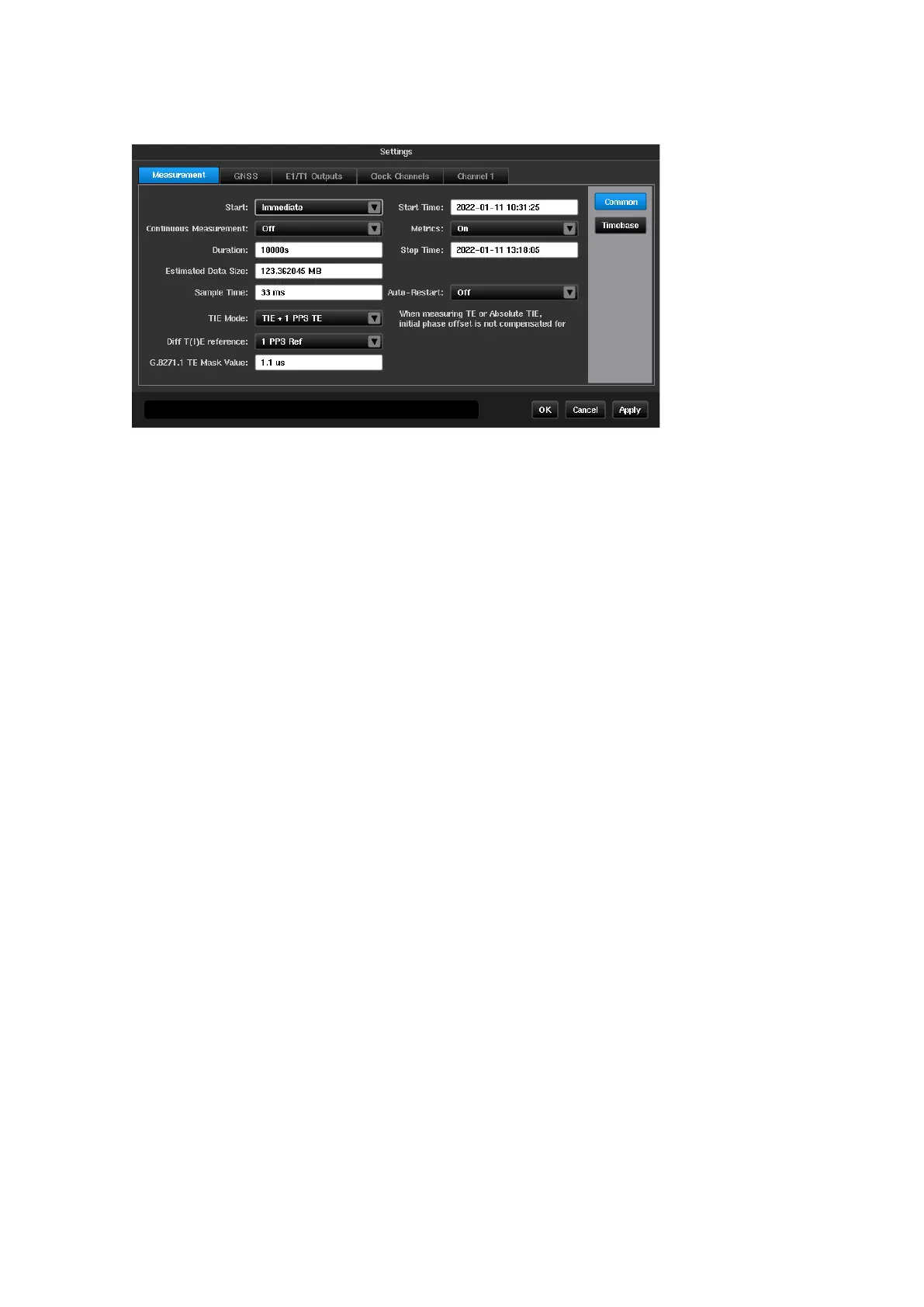
The Common page is used to define the general characteristics of the measurement.
Defines when the measurement should start and allows the following options
Start the measurement as soon as the Start button is pressed
Start the measurement at the specified time
Defines start time when Start mode is
Timer
Defines whether the measurement when started should run on a continuous basis. This
results in a series of 24 hours measurements being made. A new measurement is
started each time 00:00 UTC is reached. The last 7 days of measurement data is
retained in the folder named
continuous
within the internal storage. Each day of data is
stored in a folder within the
continuous
folder with a name indicating the day the
measurement started based on UTC time.
Whilst running in this mode it is not possible to measure any metrics e.g. TDEV, MTIE.
No masks will be checked whilst continuous mode is enabled.
This disables metric calculation (e.g. TDEV, MTIE) and mask checking during
measurement.
If this option has been selected and metrics are required after a measurement has been
completed, this can be achieved using the Calnex Analysis Tool (CAT) which is supplied
with Sentinel.
Duration of the measurement. The measurement duration is defined either by the time
entered in the Duration field or by the stop time entered in the Stop time field. If a
duration is entered, the Stop time is updated accordingly, and if a stop time and date
are entered, the measurement duration is updated accordingly
Defines stop time when Start mode is
Timer
Displays estimated size of file for measurement data. Depending on the configuration, if
the duration exceeds a certain length, the instrument enters Long Term mode. In
Long Term mode only some of the available graphs are displayed and no metrics are
calculated
Measurement interval. Signal measurements are made point by point at regular intervals
defined by entry using the virtual keyboard.
33ms
is the default setting to provide 30
TIE samples per second in accordance with the recommendations for wander
measurement equipment in ITU-T O.172
The user can define if they want the measurement to restart should there be a power
interruption during the measurement
This parameter allows the selection of the following measurement modes
General TIE measurement for every enabled input channel



 To Next Page