Note: When in Transport Mode, the battery will not be charged. The battery is only charged when Sentinel is
powered on and running.
Switching off
The instrument is switched off by pressing the button on the front panel. When the indicator light turns on
red the instrument is switched off.
As long as the instrument is connected to the mains supply, the internal Rubidium oscillator is powered up and
retains its characteristics.
Disconnection of the mains cable completely cuts off the power supply to the instrument unless the Battery
Option is installed, in which case only the Rubidium oscillator remains powered.
3.2 Controls
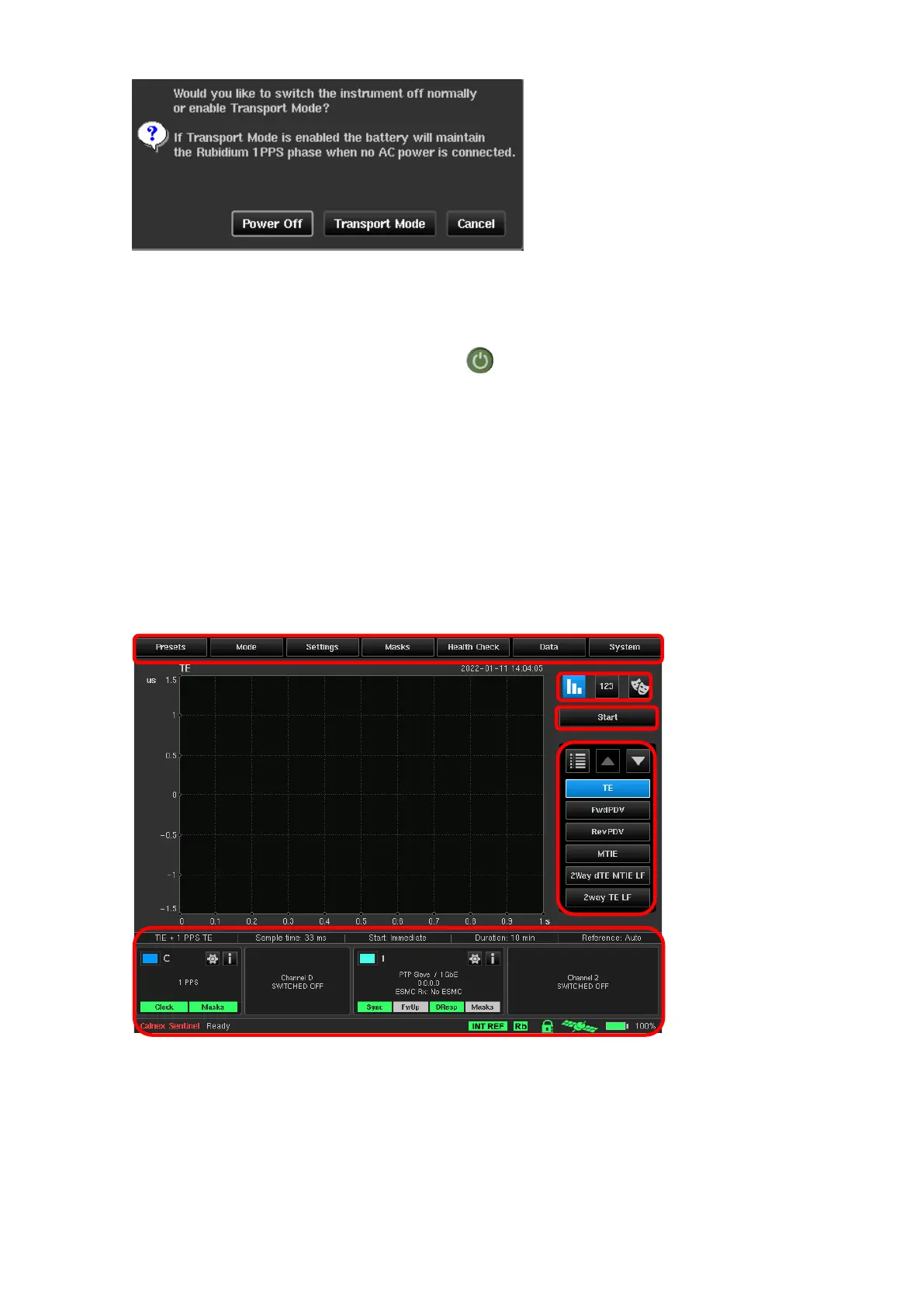
The main screen contains controls to allow simple, ordered Configuration (1) and Operation (2) of Sentinel.
Navigation buttons allow movement between each Measurement Result Graph (3) and change the mode of
Viewing Results (4). The status of the measurement sub system is shown in Widgets and Icons (5) at the
bottom of the screen.



 To Next Page