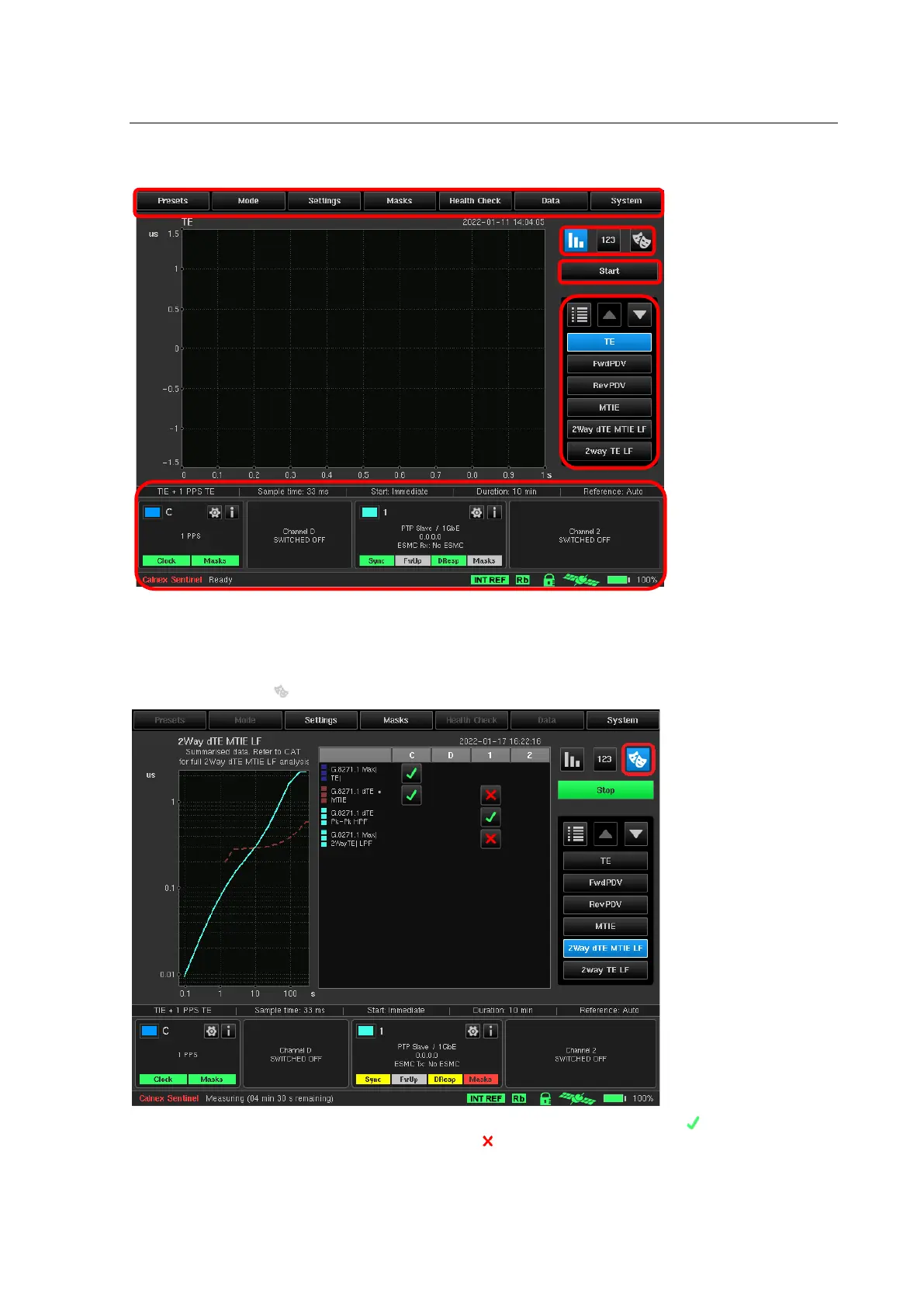
Viewing Mode
The buttons indicated by (4) allow the user to switch between views. The default view shows only the
measurement graphs selected.
7.1 Masks Table
A list of all currently selected masks and the status of each of these masks for relevant channels can be displayed
by selecting the Mask button at the top right of the Sentinel main display as highlighted below.
This table shows all enabled masks in rows and channels in columns. The button displays if all metrics are OK
versus each mask. If at least one metric has failed, then is displayed. It is possible to press these buttons and a
popup menu will appear demonstrating the list of all metrics for the selected channel together with the status of
mask check. Selecting an item from this popup menu will switch the screen to display corresponding metric. Also,
it is possible to touch the mask name in the list of masks to enable/disable it.



 To Next Page