Using Sentinel
CX3001 v7.0 © Calnex Solutions 45
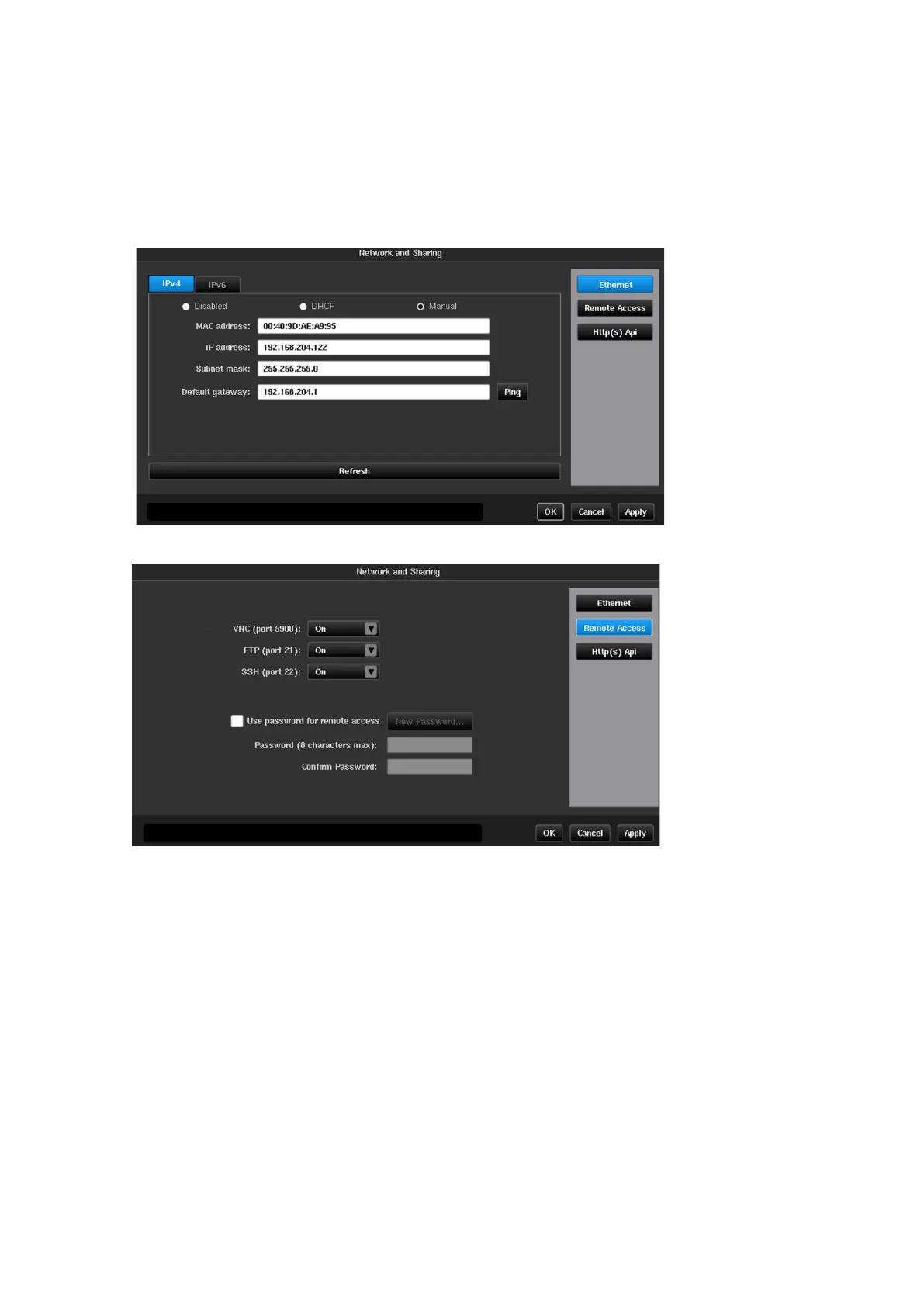
Network and Sharing
Ethernet
The displayed screen is used to define parameters of the Ethernet management connection. IP address, subnet
mask and default gateway can be entered manually or set automatically using DHCP. If DHCP is used the IP
address allocated will be displayed in the IP address field. MAC address field is read only and just for information.
It is possible to configure an IPv4 connection and IPv6 connection at the same time if required. The configuration
for both options can be either Disabled, DHCP or Manual and do not need to be set to the same mode.
Remote Access
Sentinel provides several ways of remote access via Ethernet:
Virtual Network Computing, allows user to see screen of Sentinel on remote computer using
client software
File Transfer Protocol, allows access to Sentinel internal and external memory from FTP
client software
Used by Calnex customer support to access instruments if required
By default, no password is required for VNC and FTP connections. To enable password protection set Use
password for remote access flag and type a password in corresponding fields. To change password, press
New Password… button. The user name for FTP connection is fixed –
remote
.
Note: Remote access settings changes are applied only after instrument reboot.



 To Next Page