28
1002595 ISSUE 5 M172 VARIHEAT
VARIHEAT AA SYSTEM OWNER INSTALLATION MANUAL
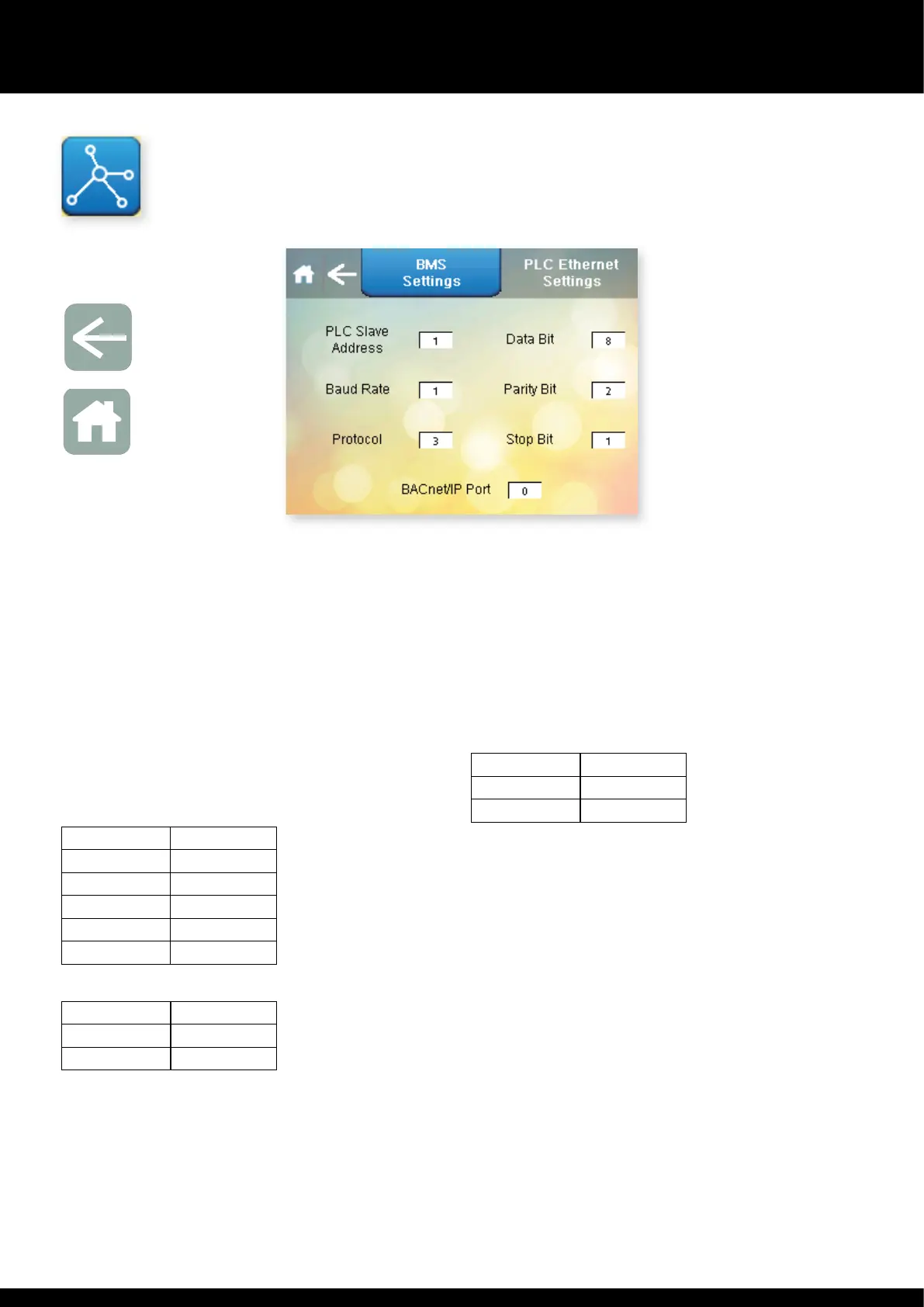
BMS SETTINGS
Press is button on e Advanced Settings menu.
This screen contains settings related to BMS connectivity when using Modbus/
RTU and BACnet MS/TP rough e spare RS485 port. The factory default
settings are shown. If connecting using BACnet/IP, see e PLC Eernet
Settings screen on page 30..
Slave Address. Can be set from 0 to 255.
Baud Rate. Can be set from 0 to 5, corresponding to:
0 9600
1 19200
2 38400
3 57600
4 76800
5 115200
Protocol Used. Can be set from 2 to 4, corresponding to:
2 uNET
3 Modbus/RTU
4 BACnet MS/TP
Data Bit. Always set to 8. Included for information only, to configure own
soware if needed.
Parity Bit. Can be set from 0 to 2, corresponding to:
0 Null
1 Odd
2 Even
Stop Bit. Can be set from 1 to 2.
BACnet/IP Port – can be set from 0 to 65535. 0 corresponds to e default port
47808. 65535 corresponds to BACnet stack running only on PLC side.
Aer changing any of e above settings, restart e PLC/Variheat, by
cycling e power supply, to save and apply e new settings.
For Modbus Variable list and BACnet Object list please consult e Danerm
Group.
Arrow icon
Return to
User Settings
Home icon
Return to
Home screen


 To Next Page