35
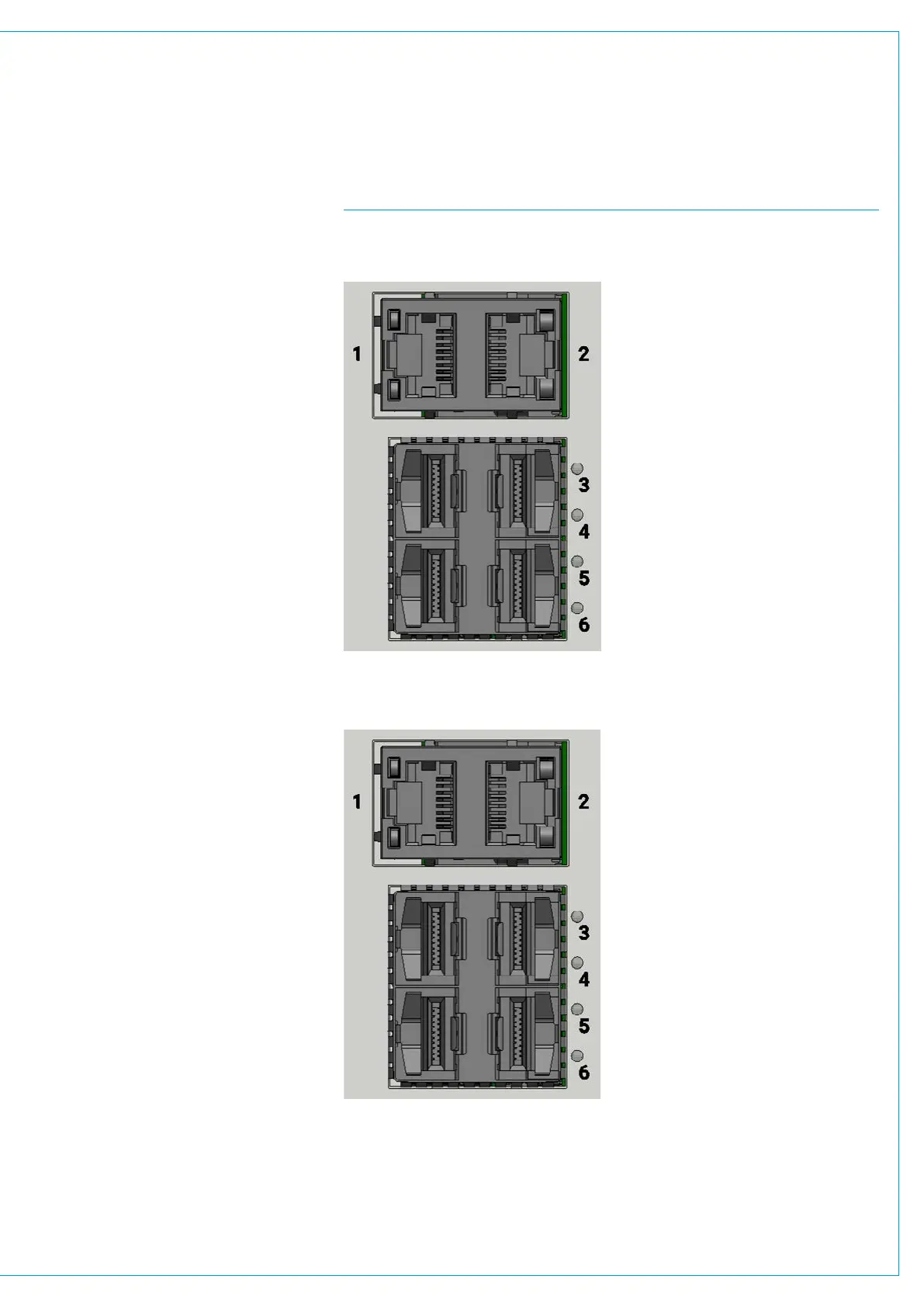
FIG 2 - OTHER IMPULSE CORE CONNECTIVITY Control Port Connectivity
• “Misc control data” includes:-
CSCP/SW-P-08/EMBER - 3rd
party control such as Mosart.
• Misc control data can also include
client PC Access to Calrec UI such
as Configure, Connect and Assist
apps.
• All misc control data can be
aggregated (and/or extended)
by connecting to IP switches, or it
can instead be spread across the
available connections on the Impulse
controller modules if diversity is
required.
• The connect server connections are
made to the IP network for stream
control. Note: these can also be
aggregated over the same ports on
the Impulse core (but would need
routing to the media networks).
• The link between the primary and
backup impulse cores can also be
aggregated (and consolidated over
the same misc control connections)
if required.
• The Routing of data through the
six connections on the front of the
control processor module of the
impulse core provides very flexible
interfacing.
* Note: the configuration of ports on the
control processors is managed using the
Configure application.
See the Impulse Configure
Application Guide (926-290).pdf for
details.
Primary Impulse Core Control Processor module (default example)
Secondary Impulse Core Control Processor module (default example)
Port 1 RJ45 Misc Control Data
Port2 RJ45 Connect Server
Port 3 SFP Surface #1
Primary Link
Port 4 SFP Surface #2
Primary Link
Port 5 SFP To Secondary
Impulse Core
Port 6 SFP Available for
Other Connections
Port 1 RJ45 Misc Control Data
Port2 RJ45 Connect Server
Port 3 SFP Surface #1
Secondary Link
Port 4 SFP Surface #2
Secondary Link
Port 5 SFP To Primary
Impulse Core
Port 6 SFP Available for
Other Connections



 To Next Page