46 ARGO Digital Broadcast IP Production Console
Connection Information
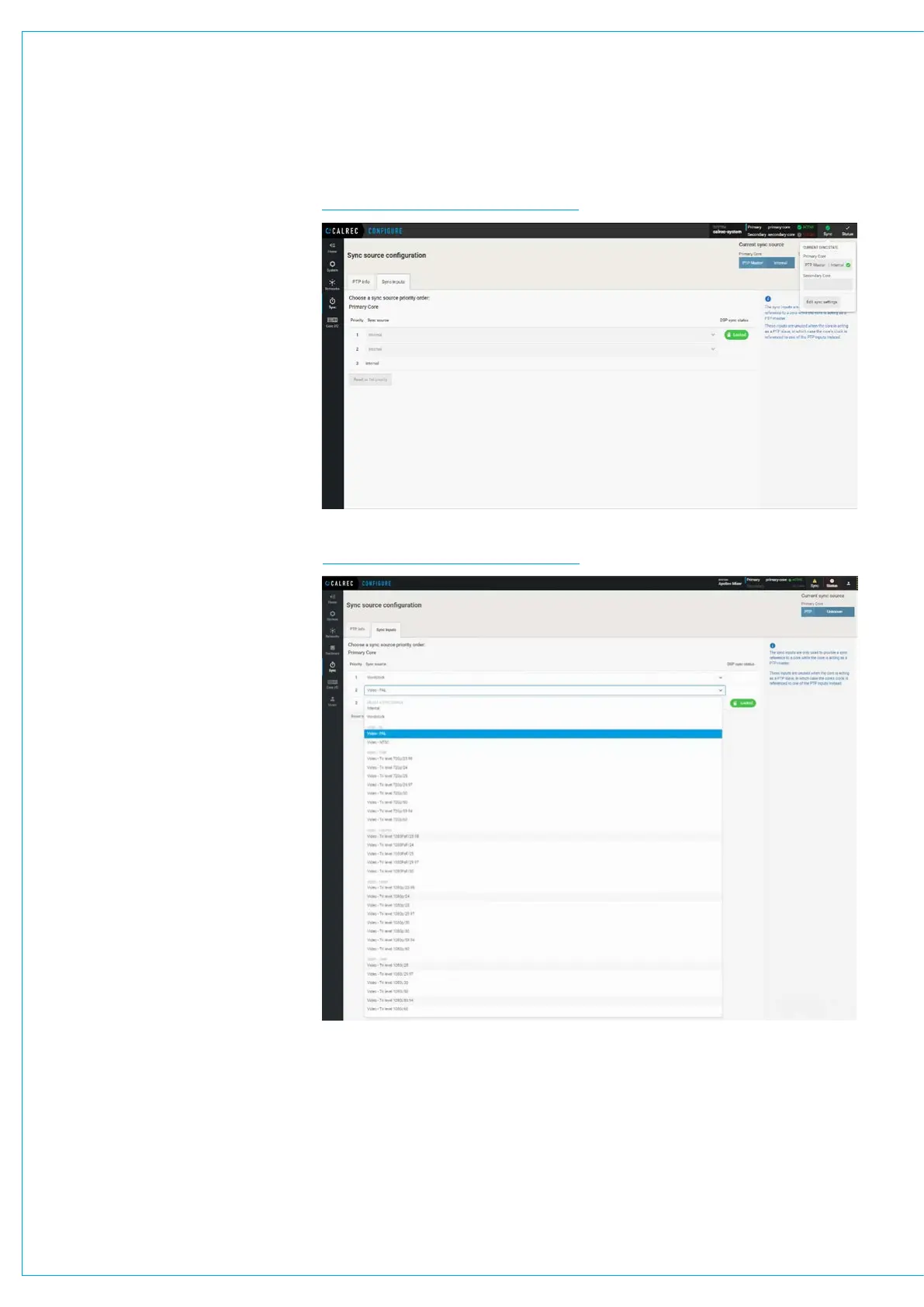
FIG 2 - EXTERNAL SOURCES PAGESee the External sources table above
right and below right for information on
how to set up synchronisation priority.
The console will always attempt to boot
to the highest priority sync selected, and
move down the priority list until it finds a
valid sync.
If a valid sync later fails, it will move down
the list. If no valid sync is present, the
system will always default to internal as
this is fixed as the last source in the list.
The priority will never automatically move
back up the list even if a higher priority
sync becomes available.
Press the ‘Reset To First’ button to move
back up to the top of the list.
It is important that the required sync
source is available before the console
boots up otherwise it won’t be locked to
the correct sync. If this occurs press
the ‘Reset to first’ button after the sync
generator is running.
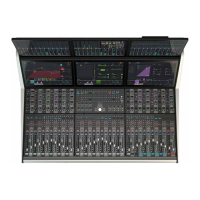
The image below right shows all the
available external source formats available
to the system.
FIG 3 - EXTERNAL SOURCES OPTIONS



 To Next Page