The data and information shown in this manual may be changed by CAME cancelli automatici s.p.a. at any time without prior warning.
8
ENGLISH
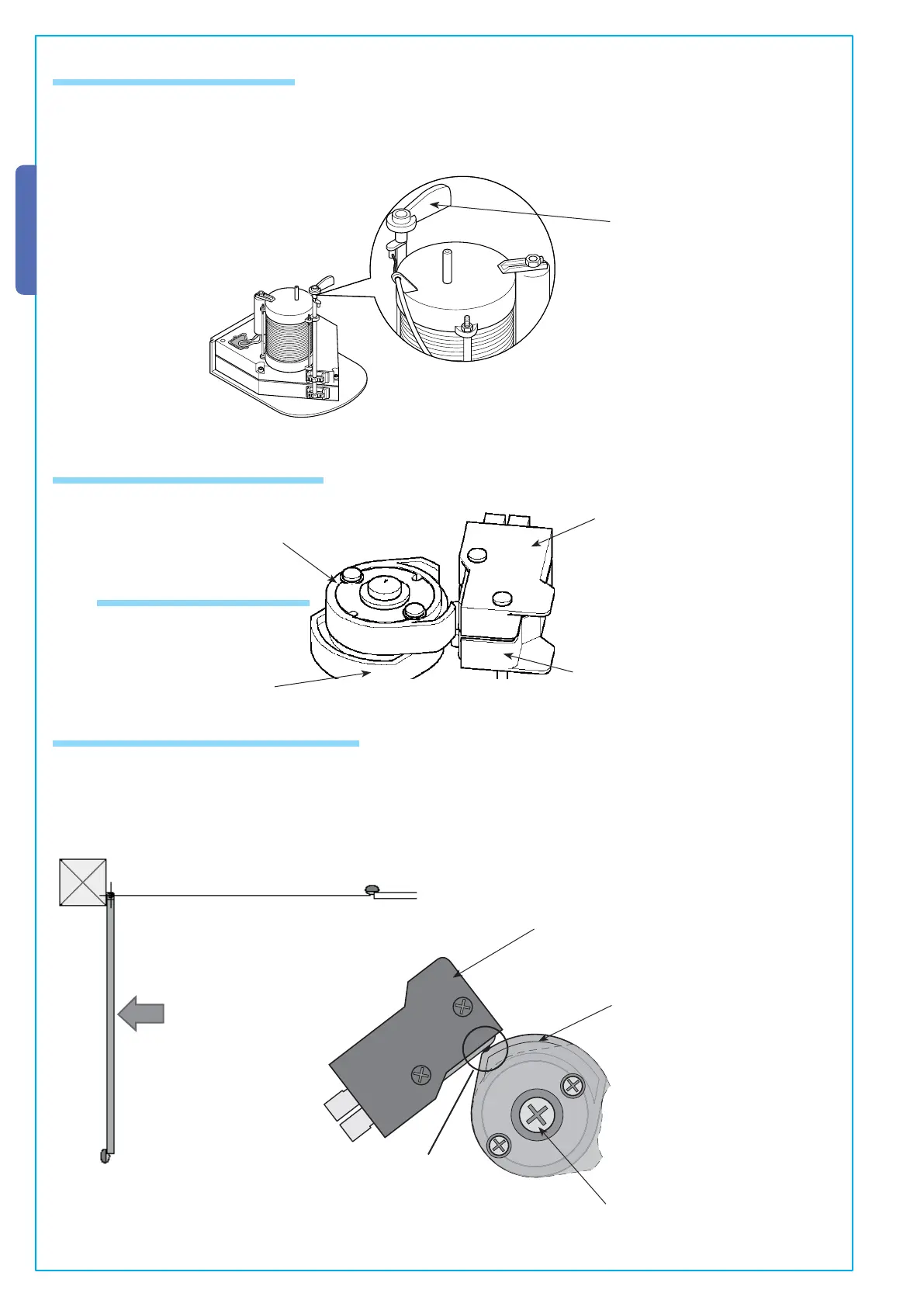
Before making any adjustments to the microswitches, you must release the gearmotor by turning the apposite handle.
Handle
Opening-speed brake microswitch
Closing-speed brake microswitch
5.8 Gearmotor release
Upper cam
Lower cam
1) Release the gearmotor and manually lead the gate to its fullest opening position (max. 110°).
2)
Turn the lower cam until the switch is activated.
3) Tighten the central screw.
Microswitch
Lower cam securing screw
Switch
Lower cam
5.9.1 Adjusting the opening stop
Microswitch assembly
5.9 Adjusting microswitches


 To Next Page
 Loading...