EasyManua.ls Logo

CAME FAST KIT - User Manual

CAME FAST KIT
32 pages
Print Icon
To Next Page IconTo Next Page
Loading...
CAME UNITED KINGDOM LTD
UNIT 3,
ORCHARD PARK INDUSTRIAL ESTATE,
TOWN STREET, SANDIACRE,
NOTTINGHAM NG10 5BP
TEL: 0115 921 0430
FAX: 0115 921 0431
INTERNET - www.cameuk.com
E-MAIL - enquiries@cameuk.com
TECHNICAL
HELPLINE
0115 921 0430
FAST KIT
Installation Instructions
FAST-P, Pair of gates automation kit
Kit consists of :
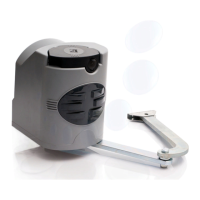
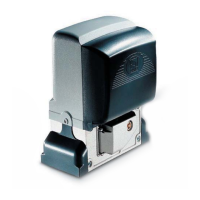
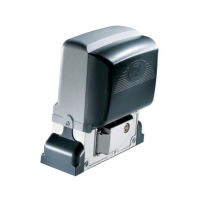
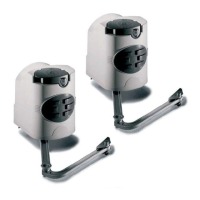
2 x fast motors 240V
1 x built-in control panel 240V
1 x radio receiver
1 x tuned antenna
2 x remote control handsets
1 x pair safety photocells
1 x flashing “in movement” light
Full installation guide
FAST-S, Single gate automation kit
Kit consists of :
1 x fast motor 240V
1 x built-in control panel 240V
1 x radio receiver
1 x tuned antenna
2 x remote control handsets
1 x pair safety photocells
1 x flashing “in movement” light
Full installation guide
UNITED KINGDOM LTD.

Questions and Answers

CAME FAST KIT Specifications

General IconGeneral
BrandCAME
ModelFAST KIT
CategoryGarage Door Opener
LanguageEnglish

Summary

INTRODUCTION

Installation Type

Lists the components of the FAST gate automation kit.

1.1 - Requirements

EXTERNAL DIMENSIONS AND OPERATING LIMITS

Specifies the physical dimensions and weight limits for the gate wings.

BEFORE INSTALLING...

Crucial checks and measurements before starting installation.

1.2 - Mounting the Motor Base Plate

Front view

Illustrates the front view for base plate mounting with key dimensions.

STAGE 2 WIRING AND ELECTRICAL

2.1 - Basic Cable Layout

Illustrates the general layout for electrical cabling.

STAGE 3 INSTALLATION

3.1 - Installing the Motors

Instructions for physically installing the gate motors.

3.2 - Installing drive arms

Guidance on fitting the drive arms to the motors and gates.

3.3 - Adjusting the open and shut cams

How to set the limit switches for gate movement.

STAGE 4 WIRING THE MOTORS

4.1 - Electrical connections to the ZF1 board with pair of gates

Wiring instructions for a pair of gates to the control board.

4.2 - Electrical connections to the ZF1 board with single gate

Wiring instructions for a single gate to the control board.

4.3 - Electrical Connections

General guide to making electrical connections for the system.

STAGE 5 COMMISSIONING THE CONTROL PANEL

5.1 - Initial Wiring & Control Panel Set-Up

Initial wiring and configuration of the control panel.

5.2 - Opening & Closing the Gates

Steps to set the basic opening and closing operations.

5.3 - Control Panel Adjustments

Adjusting settings on the control panel for optimal performance.

5.4 - Automatic Close & Safety Photocells

Setting up automatic closing and safety photocells.

5.5 - Programming the Remote Controls to the Control Panel

Process for pairing remote controls with the system.

5.6 - Coding the Additional Remote

Instructions for coding extra remote controls.

5.7 - Final Assembly

Final steps for assembling the system components.

STAGE 6 TECHNICAL INFORMATION

6.1 - Electrical Connections

Detailed diagrams of electrical connections for the system.

6.2 - Function Selections

Explains how to select various functions of the control panel.

6.3 - Technical Description - ZF1 Control Panel

Technical specifications and description of the ZF1 control panel.

6.4 - Motherboard

Information about the motherboard and its components.

6.5 - Adjustments

Details on various adjustments and settings available.

7. TROUBLESHOOTING GUIDE

CONTACT INFORMATION

Related product manuals