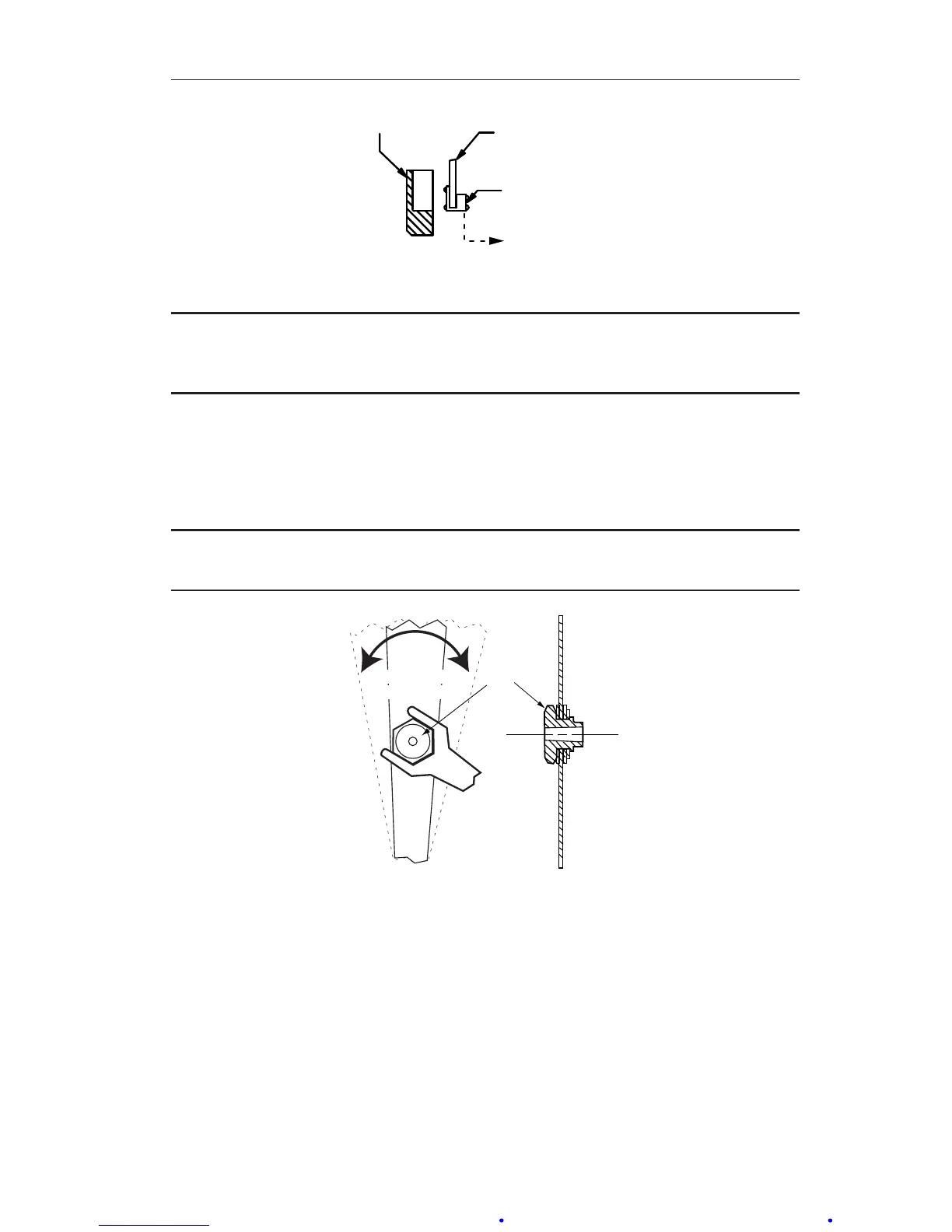
Figure 3.1—Bezel and lens cover
IMPORTANT: Ensure the bezel gasket is properly oriented before placing the instru-
ment back in service. Incorrect gasket orientation will cause the instru-
ment indicator to jam, resulting in inaccurate readings.
Calibration Check
To ensure the unit calibration is within factory-set calibration tolerances,
perform the following procedure.
IMPORTANT: Review all procedures, WARNINGS/NOTICES in the Model 199 DPU
user manual (Appendix A) BEFORE performing this procedure.
HUB
Pointer "slipped"
rotated on hub
Hub held in place
with 1/4" wrench
Figure 3.2—"Slipping" pointer
1. Mount the instrument in an approximately level position and connect to
a standard pressure source (see the Model 199 DPU user manual in Ap-
pendix A).
2. If the zero indication is incorrect, adjust it as follows:
a. Remove the bezel/lens assembly.
b. Using a 1/4" open-end wrench (included in calibration toolkit, Part
No. 9A-0288-1032B), hold the hexagon pointer hub xed and rotate
the pointer with ngers until the pointer indicates zero on the scale.
See Figure 3.2.
c. Replace the bezel/lens assembly.













 To Next Page