MW8 & MotionWare User Guide: Issue 1.2.1 Page 48
10 Day Activity Analysis
10.1 Overview
The day activity analysis function provides an overview
and summary of the activity levels of the wearer during the
daytime. It is intended to assist in monitoring of the amount
of time spent active on a daily or weekly basis, and the
approximate intensity of that activity.
To use the Day Analysis function, single click to select a
recording from the recent files list and then click the “Day
Activity Analysis” button.
10.2 Day Analysis
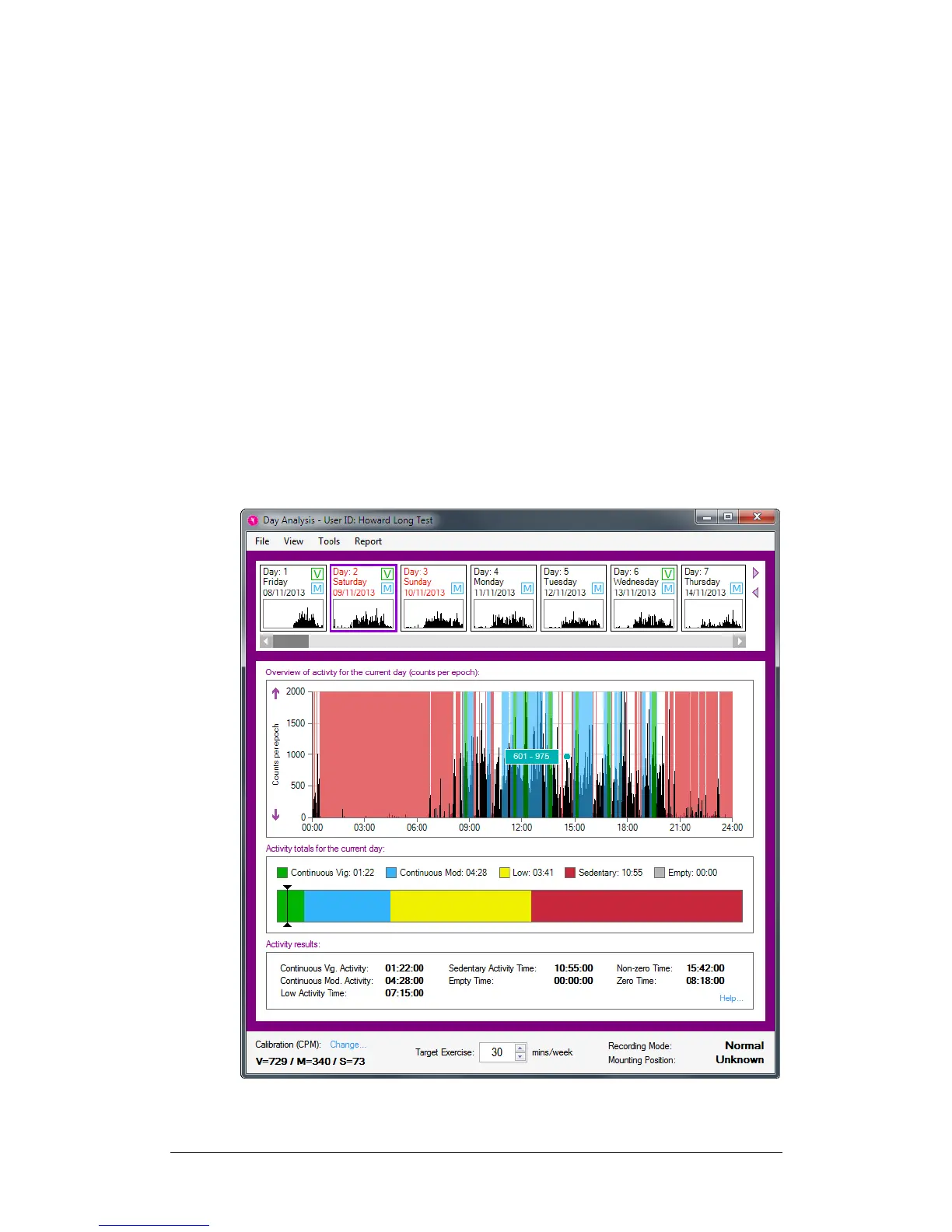
Once the recording has been opened with the daytime
analysis function, the Day Analysis window will show as
below. It allows you to step through every day of the
recording and see the highlighted activity periods and daily
summary data.


 To Next Page