MW8 & MotionWare User Guide: Issue 1.2.1 Page 9
Opening the MotionWatch Casing
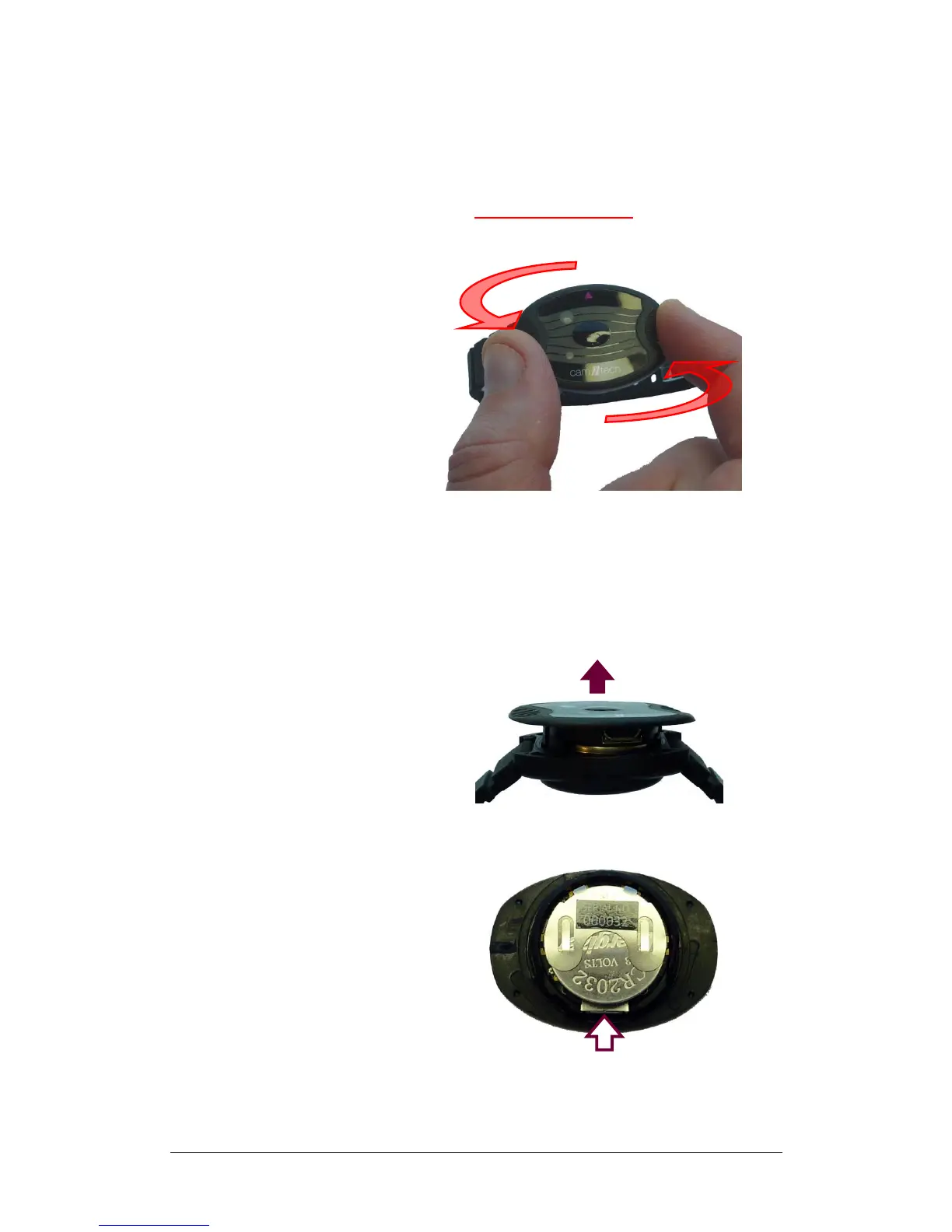
The MotionWatch utilises a novel ‘twist-lock’ casing which
provides a waterproof seal for the electronics and USB
connection while facilitating easy access to the battery.
To open the casing, grasp the front of the watch by the two
finger grips and rotate anti-clockwise by approximately
15 degrees to release.
WARNING!
DO NOT ATTEMPT TO FORCE OPEN/CLOSED THE
MOTIONWATCH CASING WITHOUT TWISTING TO
UNLOCK/LOCK. DOING SO WILL DAMAGE THE
CASING AND INVALIDATE THE WARRANTY!
Now gently lift out the front section of the casing…
Then turn over to access the USB connection…


 To Next Page