MW8 & MotionWare User Guide: Issue 1.2.1 Page 51
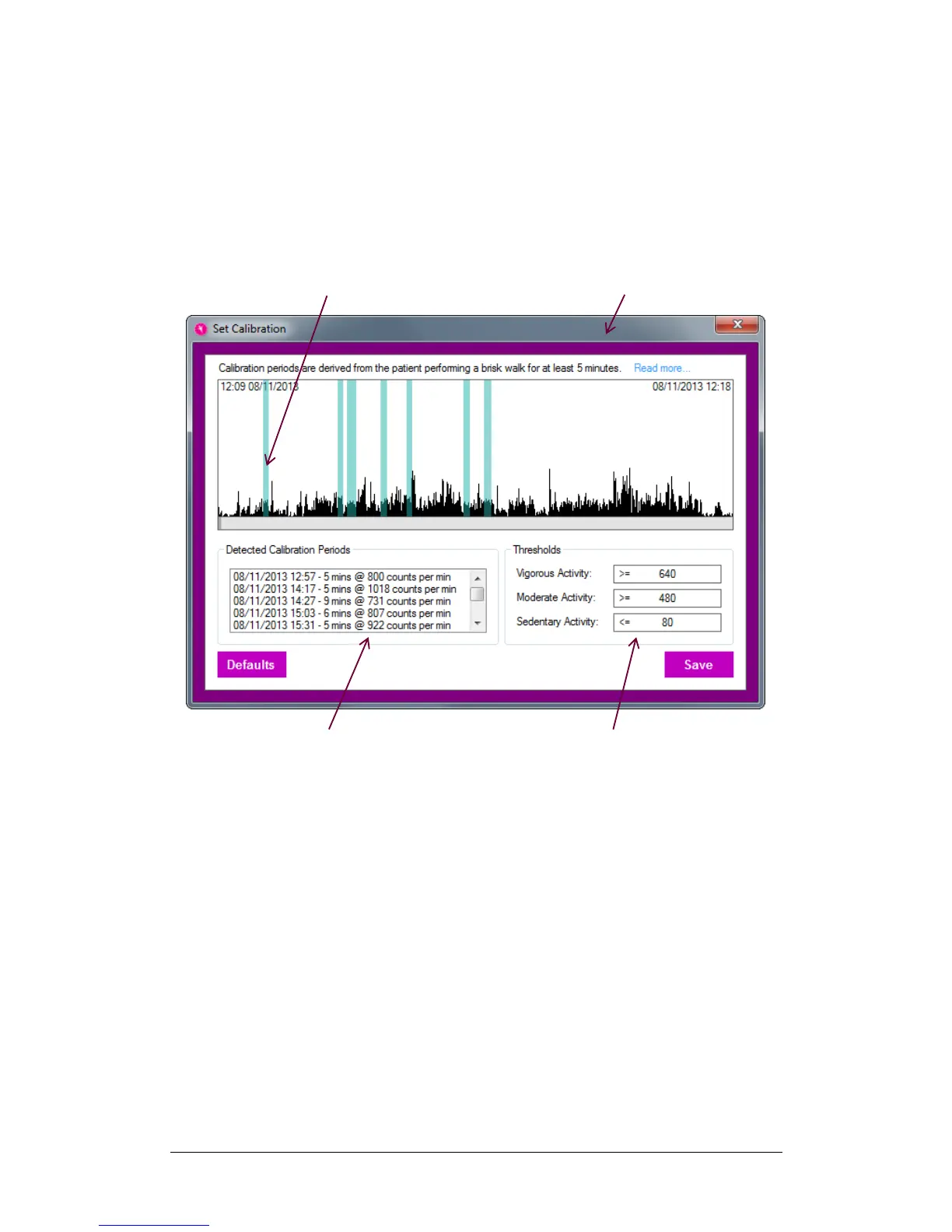
counts are within an acceptable range. These can be
selected as alternative calibration values but they may not
reflect the values of a brisk walk and should be used with
caution. Calibration periods can also be selected manually
by dragging the mouse cursor over a period on the activity
graph, or by entering fixed values in the thresholds fields
[4].


 To Next Page