Envelope Feeder Attachment-C2 (Optional)
2-26
2
Routine Maintenance
11
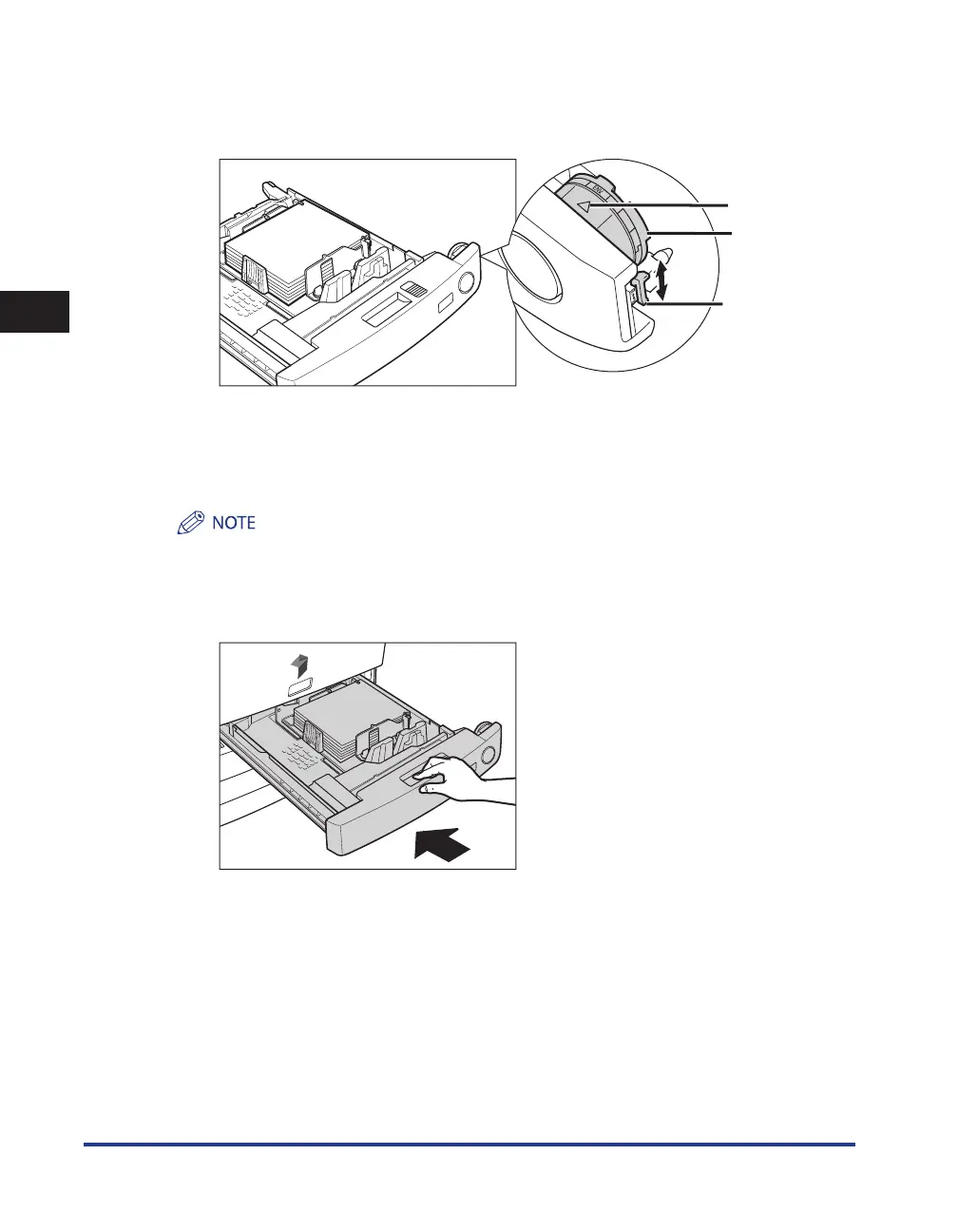
Turn the paper size dial on the right side of the paper drawer, so that the
arrow points to 'ENV.'. Then, set the size switch to 'ENV.1' or 'ENV.2'.
Arrow
Size Switch
Paper Size
Dial
[ENV.1] enables the envelope size and type stored in ENV.1 in Envelope Cassette in Common Settings
(from the Additional Functions screen) to be loaded.
[ENV.2] enables the envelope size and type stored in ENV.2 in Envelope Cassette in Common Settings
(from the Additional Functions screen) to be loaded.
To change the stored envelope setting, see e-Manual > Additional Functions.
12
Gently push the paper drawer back into the machine until it clicks into
place in the closed position.










 To Next Page