Feeder (DADF-U1) (Optional)
2-28
2
Routine Maintenance
Feeder (DADF-U1) (Optional)
Originals sent by fax or the Send function via the feeder, can be stamped to indicate that they have
been sent. Replace the stamp cartridge when this mark is faint or no longer visible.
When replacing the stamp cartridge, take care not to allow ink to come into contact with your hands or clothing. If
ink gets onto your hands or clothing, wash it off immediately with cold water.
The Feeder (DADF-U1) is standard-equipped for the imageRUNNER 3245/3245i/3235/3235i.
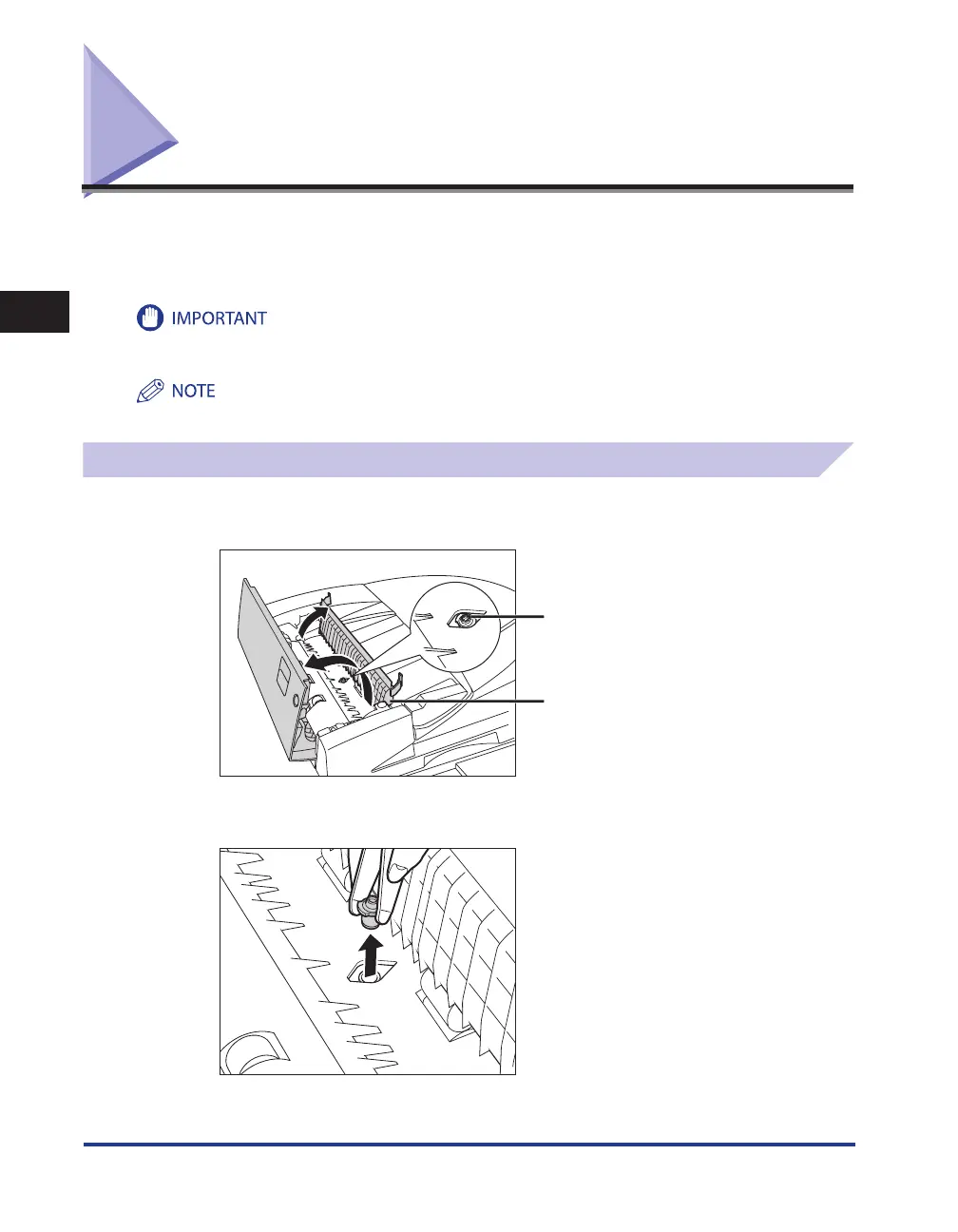
Replacing the Stamp Cartridge
1
Open the feeder cover, and then open the inner cover.
Stamp Cartridge
Inner Cover
2
Remove the old stamp cartridge, using tweezers.










 To Next Page