39
1
2
3
4
5
Introduction
Contents at
a Glance
Basic
Operation
Advanced
Operation
Advanced
Image Editing
and Printing
Editing JPEG
Images
Index
Processing
Large Numbers
of Images
Reference
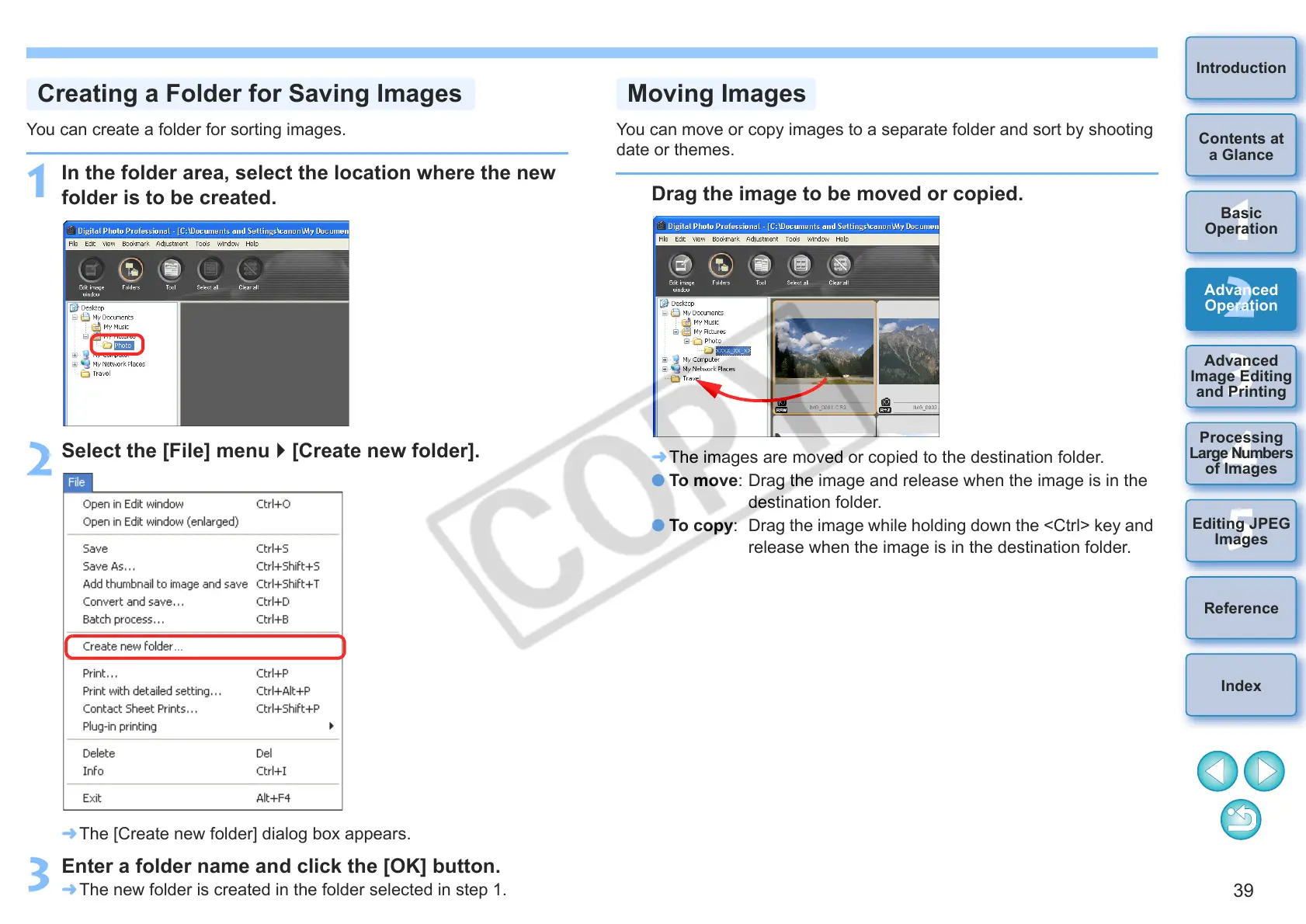
You can create a folder for sorting images.
1
In the folder area, select the location where the new
folder is to be created.
2
Select the [File] menu [Create new folder].
¿ The [Create new folder] dialog box appears.
3
Enter a folder name and click the [OK] button.
¿ The new folder is created in the folder selected in step 1.
Creating a Folder for Saving Images
You can move or copy images to a separate folder and sort by shooting
date or themes.
Drag the image to be moved or copied.
¿ The images are moved or copied to the destination folder.
O To move: Drag the image and release when the image is in the
destination folder.
O To copy: Drag the image while holding down the <Ctrl> key and
release when the image is in the destination folder.
Moving Images










 To Next Page