6
1
2
3
4
5
Introduction
Contents at
a Glance
Basic
Operation
Advanced
Operation
Advanced
Image Editing
and Printing
Editing JPEG
Images
Index
Processing
Large Numbers
of Images
Reference
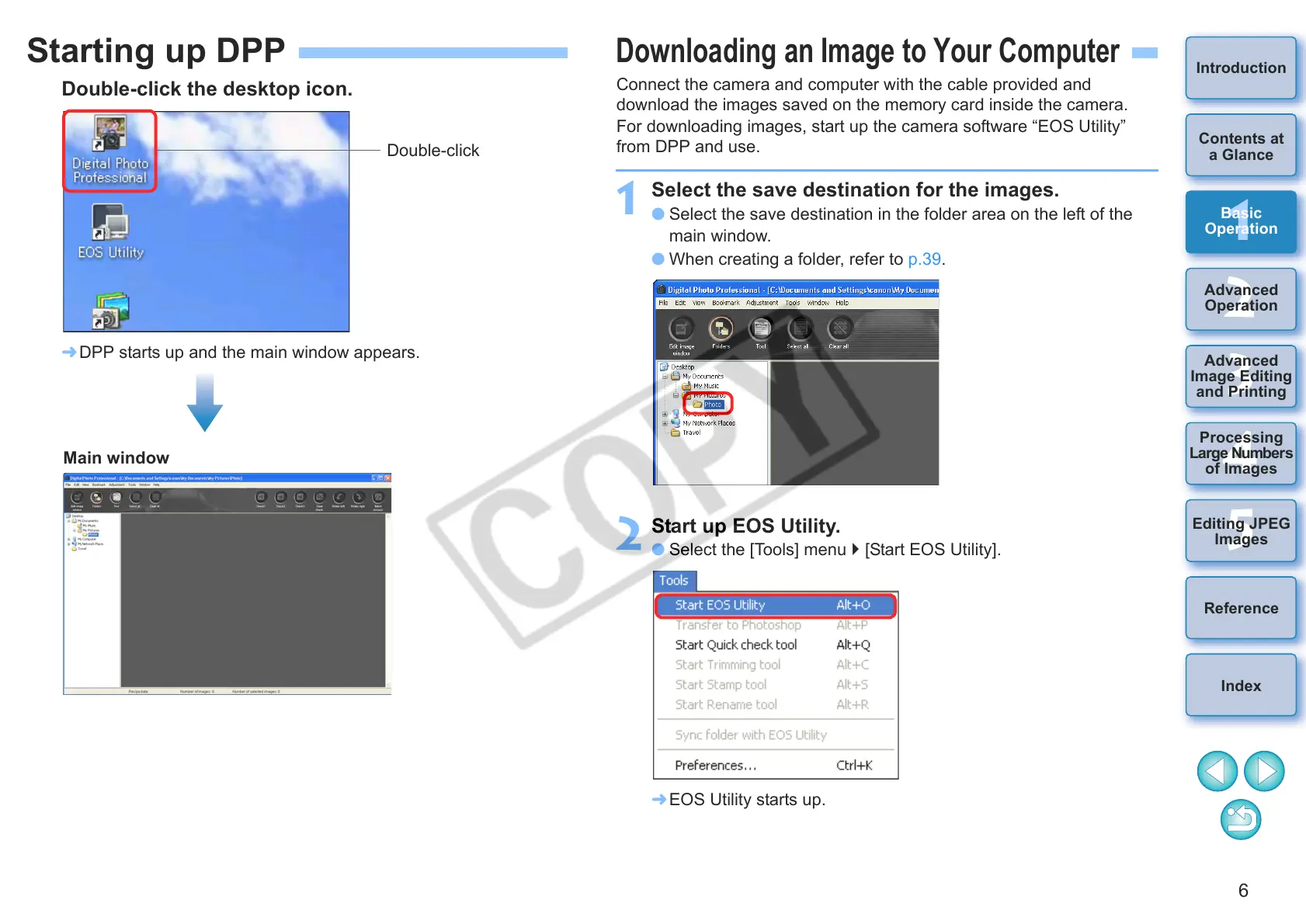
Starting up DPP
Double-click the desktop icon.
¿ DPP starts up and the main window appears.
Double-click
Main window
Downloading an Image to Your Computer
Connect the camera and computer with the cable provided and
download the images saved on the memory card inside the camera.
For downloading images, start up the camera software “EOS Utility”
from DPP and use.
1
Select the save destination for the images.
O Select the save destination in the folder area on the left of the
main window.
O When creating a folder, refer to p.39.
2
Start up EOS Utility.
O Select the [Tools] menu [Start EOS Utility].
¿ EOS Utility starts up.










 To Next Page