89
1
2
3
4
5
Introduction
Contents at
a Glance
Basic
Operation
Advanced
Operation
Advanced
Image Editing
and Printing
Editing JPEG
Images
Index
Processing
Large Numbers
of Images
Reference
List of Edit Window Functions
.10,
.21
*
1
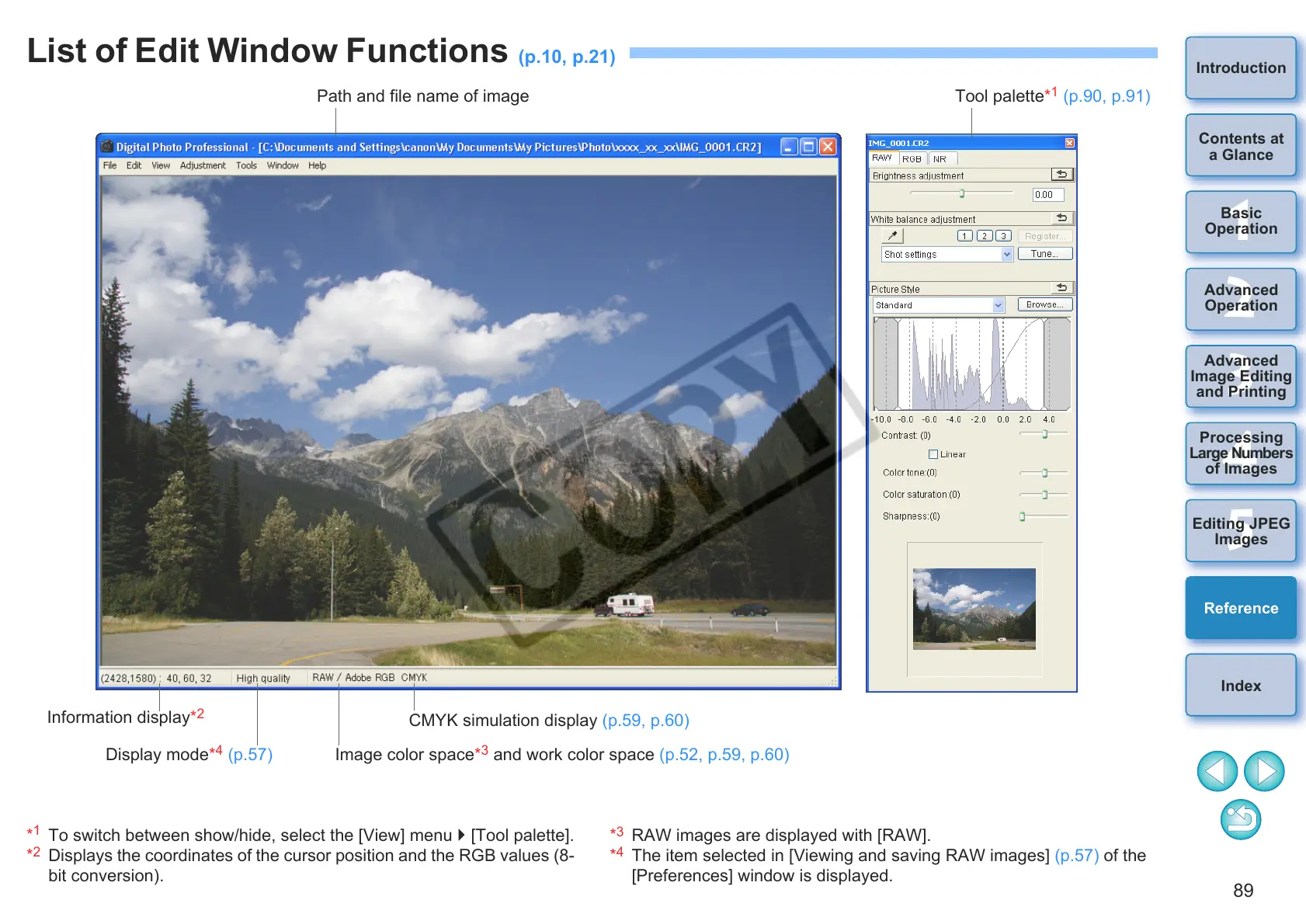
To switch between show/hide, select the [View] menu [Tool palette].
*
2
Displays the coordinates of the cursor position and the RGB values (8-
bit conversion).
*
3
RAW images are displayed with [RAW].
*
4
The item selected in [Viewing and saving RAW images] (p.57) of the
[Preferences] window is displayed.
Path and file name of image Tool palette*
1
(p.90, p.91)
Information display*
2
Display mode*
4
(p.57)
CMYK simulation display (p.59, p.60)
Image color space*
3
and work color space (p.52, p.59, p.60)










 To Next Page