45
1
2
3
4
5
Introduction
Contents at
a Glance
Basic
Operation
Advanced
Operation
Advanced
Image Editing
and Printing
Editing JPEG
Images
Index
Processing
Large Numbers
of Images
Reference
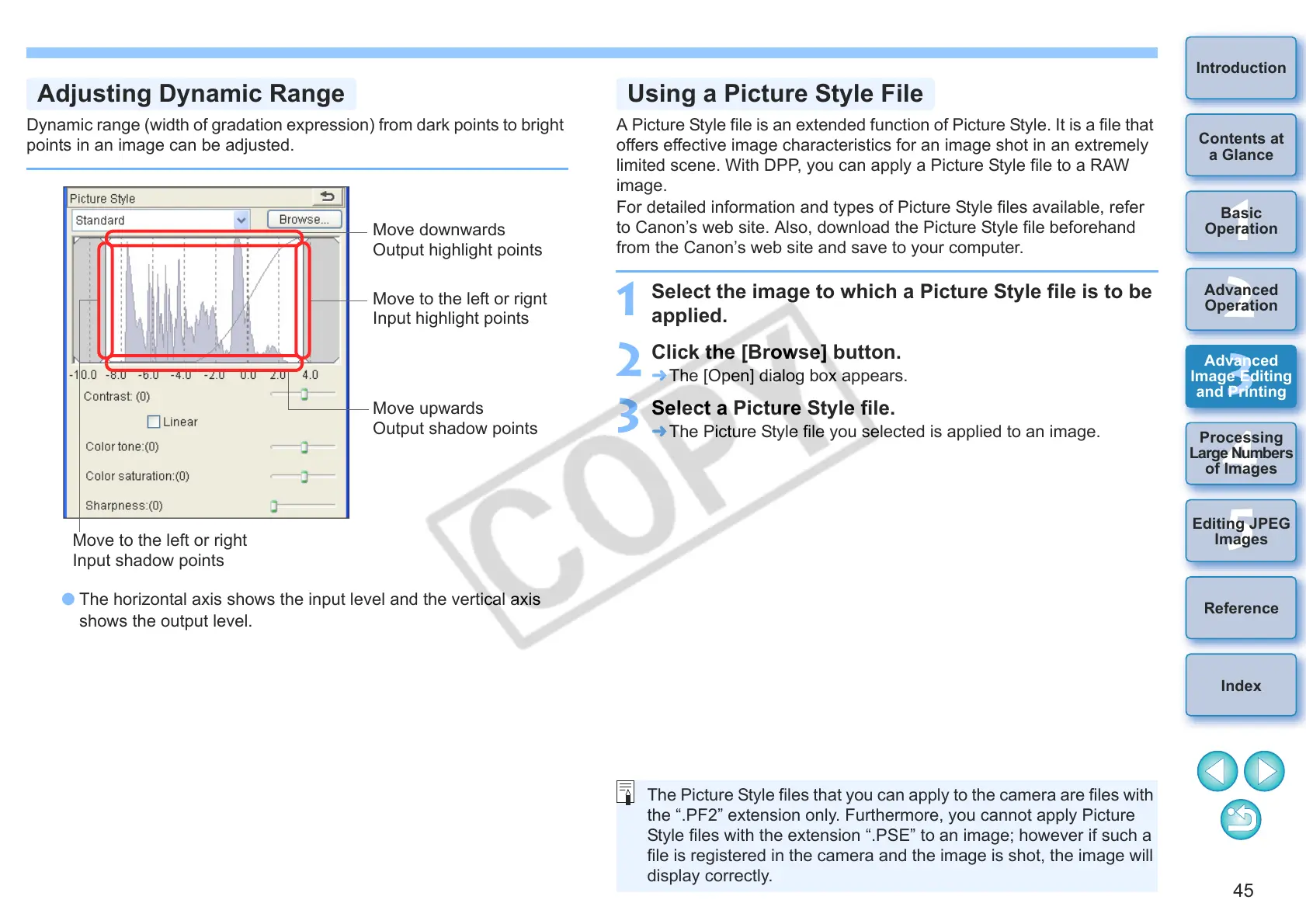
Dynamic range (width of gradation expression) from dark points to bright
points in an image can be adjusted.
O The horizontal axis shows the input level and the vertical axis
shows the output level.
Adjusting Dynamic Range
Move to the left or rignt
Input highlight points
Move to the left or right
Input shadow points
Move downwards
Output highlight points
Move upwards
Output shadow points
A Picture Style file is an extended function of Picture Style. It is a file that
offers effective image characteristics for an image shot in an extremely
limited scene. With DPP, you can apply a Picture Style file to a RAW
image.
For detailed information and types of Picture Style files available, refer
to Canon’s web site. Also, download the Picture Style file beforehand
from the Canon’s web site and save to your computer.
1
Select the image to which a Picture Style file is to be
applied.
2
Click the [Browse] button.
¿ The [Open] dialog box appears.
3
Select a Picture Style file.
¿ The Picture Style file you selected is applied to an image.
Using a Picture Style File
The Picture Style files that you can apply to the camera are files with
the “.PF2” extension only. Furthermore, you cannot apply Picture
Style files with the extension “.PSE” to an image; however if such a
file is registered in the camera and the image is shot, the image will
display correctly.










 To Next Page