88
1
2
3
4
5
Introduction
Contents at
a Glance
Basic
Operation
Advanced
Operation
Advanced
Image Editing
and Printing
Editing JPEG
Images
Index
Processing
Large Numbers
of Images
Reference
Image Frame Information in the Main Window and Edit Image Window
.9,
.29
*
1
Does not display with [Small thumbnail].
*
2
Displays in RAW+JPEG images displayed as a single image (p.19).
[RAW] is displayed in RAW images. (In [Small thumbnail] (p.9), [R] is
displayed.) In PowerShot Pro1 RAW images, [RAW] is not displayed.
*
3
Does not display with [Medium thumbnail] or [Small thumbnail].
*
4
Displays in an image edited with the [RAW] tool palette in the edit
window and the edit image window.
*
5
Displays in an image edited with the [RGB] tool palette in the edit
window and the edit image window.
*
6
When aspect ratio information is attached to the shot image with a
camera where you can set the aspect ratio, the image is displayed as
a trimmed image.
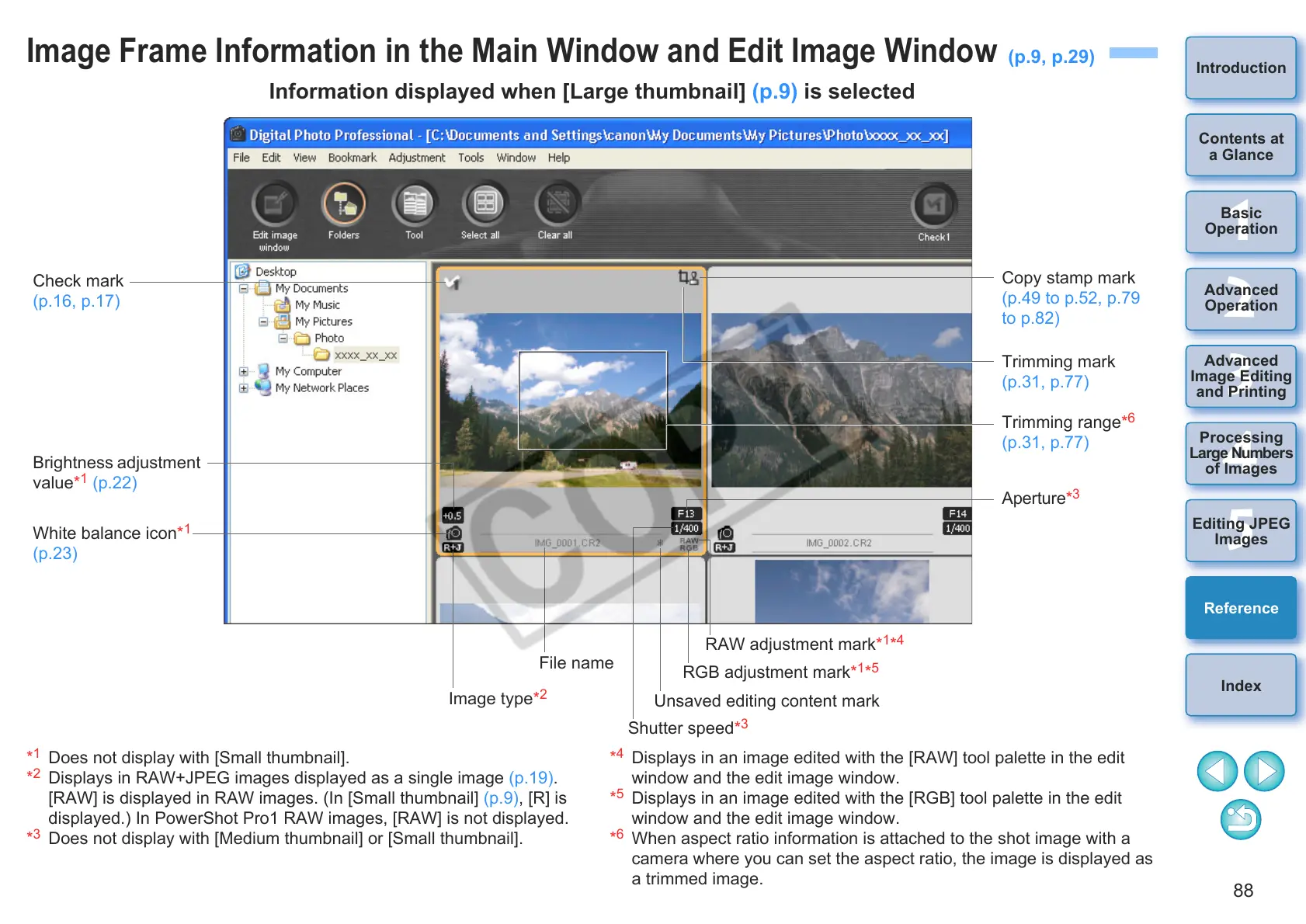
Information displayed when [Large thumbnail] (p.9) is selected
Check mark
(p.16, p.17)
Brightness adjustment
value*
1
(p.22)
White balance icon*
1
(p.23)
Copy stamp mark
(p.49 to p.52, p.79
to p.82)
Trimming mark
(p.31, p.77)
Trimming range*
6
(p.31, p.77)
Aperture*
3
Shutter speed*
3
File name
Image type*
2
RAW adjustment mark*
1
*
4
RGB adjustment mark*
1
*
5
Unsaved editing content mark










 To Next Page