116
1
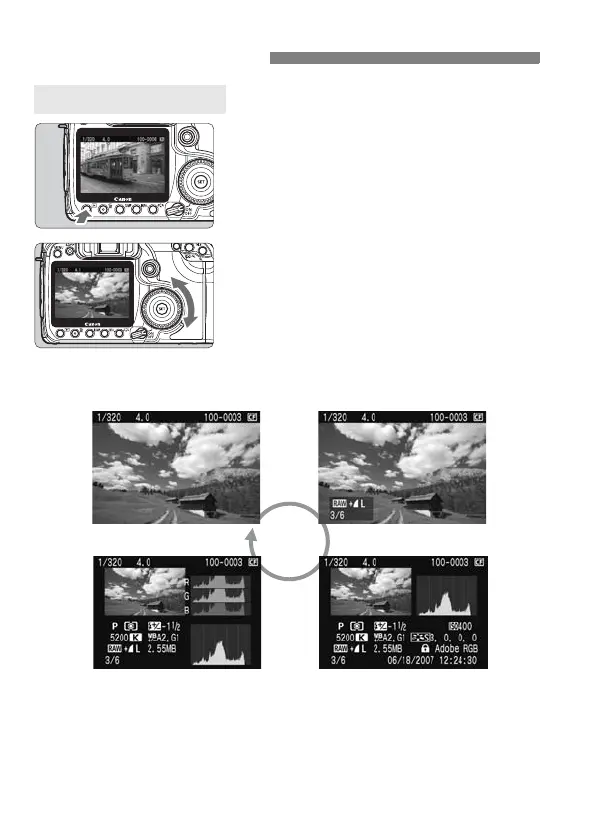
Playback the image.
Press the <x> button.
X The last captured image or last image
viewed will appear.
2
Select the image.
To playback images starting with the
last image, turn the <5> dial
counterclockwise. To playback
images starting with the first captured
image, turn the dial clockwise.
Press the <B> button to change
the display format.
3
Exit the image playback.
Press the <x> button to exit the
image playback and return the
camera to shooting ready.
x Image Playback
Single Image Display
Single image display
Histogram display
Single image display + Image-recording qualit
Shooting information display



 To Next Page