41
1
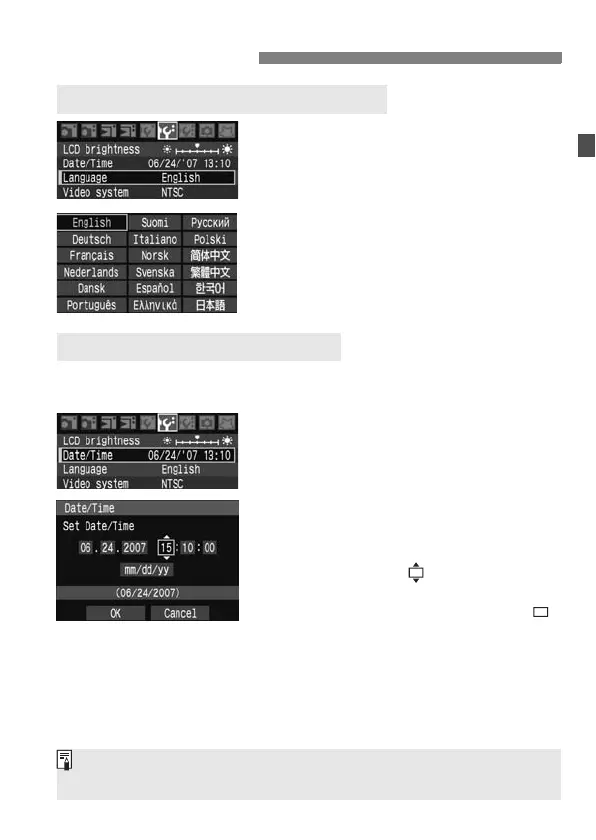
Select [Language].
Under the [6] tab, select
[Language] (the third item from the
top), then press <0>.
2
Set the desired language.
Turn the <5> dial to select the
language, then press <0>.
X The language will change.
Check if the camera’s date and time are set correctly. If necessary, set
the correct date and time.
1
Select [Date/Time].
Under the [6] tab, select [Date/
Time], then press <0>.
2
Set the date, time, and date
display format.
Turn the <
5
> dial to select the number.
Press <0> so is displayed.
Turn the <
5
> dial to select the desired
setting, then press <
0
>. (Returns to .)
3
Exit the menu.
Turn the <5> dial to select [OK],
then press <0>.
X The date/time will be set and the
menu will reappear.
Before You Start
3 Setting the Interface Language
3 Setting the Date and Time
It is important to set the correct date/time because it will be recorded
together with each captured image.



 To Next Page