26
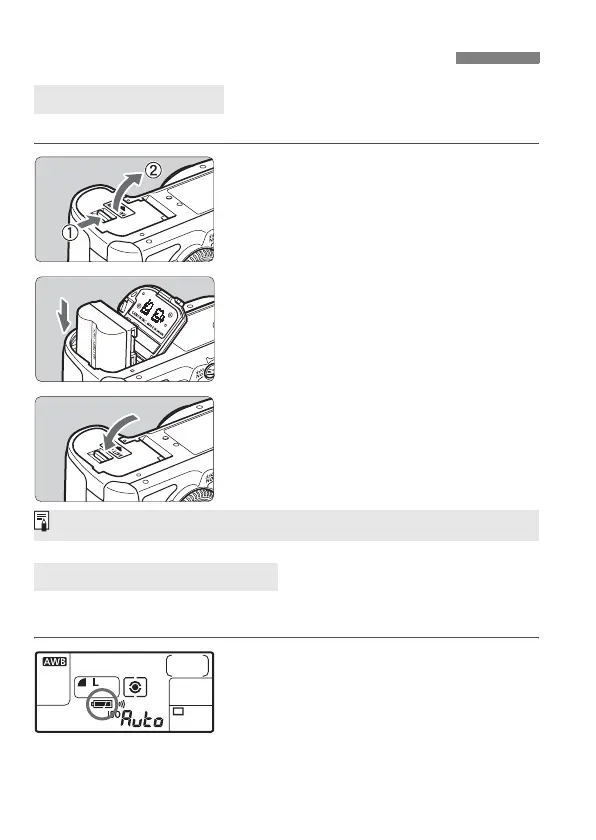
Load a fully charged BP-511A battery pack into the camera.
1
Open the battery compartment
cover.
Slide the lever as shown by the arrow
and open the cover.
2
Insert the battery.
Point the battery contacts downward.
Insert the battery until it locks in
place.
3
Close the cover.
Press the cover until it snaps shut.
When the power switch is set to <1> or <J> (p.32), the battery level
will be indicated in one of four levels:
z : Battery level OK.
x : Battery level is low.
b
: Battery will be exhausted
soon.
n: Battery must be recharged.
Installing and Removing the Battery
Installing the Battery
Checking the Battery Level
Battery Pack BP-514, BP-511, or BP-512 can also be used.



 To Next Page