78
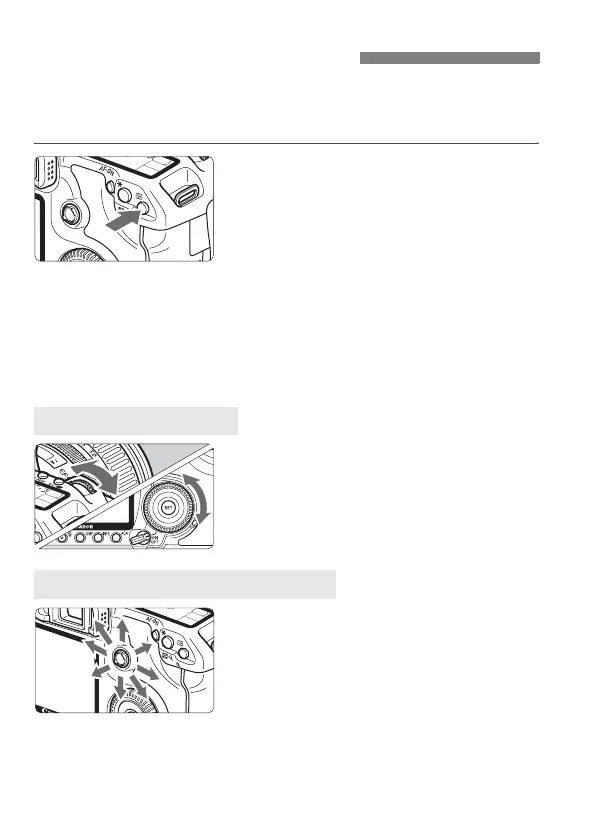
Select one of the nine AF points to autofocus. In the Basic Zone and
<8> modes, automatic AF point selection will take effect
automatically. You cannot select the AF point.
1
Press the <S> button. (9)
X The selected AF point will be
displayed in the viewfinder and on the
LCD panel.
If all the AF points light in the
viewfinder, it means automatic AF
point selection is in effect.
2
Select the AF point.
To select an AF point, you can either
turn the <6> or <5> dial or use
<9>.
When you turn the <6> or <5>
dial, the AF point selection will
change in the respective direction.
When all AF points light up, automatic
AF point selection will be set.
The AF point selection will change in
the direction you tilt the <9>. If you
keep tilting it in the same direction, it
will toggle between manual and
automatic AF point selection.
S Selecting the AF PointN
Selecting with the Dial
Selecting with the Multi-controller



 To Next Page