65
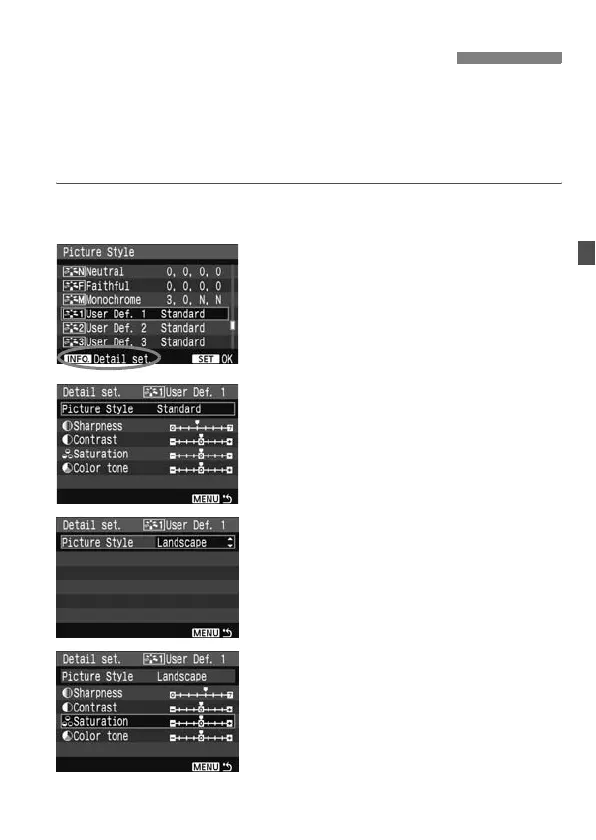
You can select a base Picture Style such as [Portrait] or [Landscape],
adjust its parameters as desired and register it under [User Def. 1],
[User Def. 2], or [User Def. 3]. You can create Picture Styles whose
parameters such as sharpness and contrast are different. You can also
select a Picture Style already set with the provided software.
1
Press the <A> button.
2
Select [User Def.].
Turn the <5> dial to select [User
Def. *], then press the <B> button.
3
Press <0>.
With [Picture Style] selected, press
<0>.
4
Select the base Picture Style.
Turn the <5> dial to select the base
Picture Style, then press <0>.
If you already have a Picture Style set
with the provided software, select it
here.
5
Select a parameter.
Turn the <5> dial to select a
parameter, then press <0>.
A
Registering the Picture Style
N



 To Next Page