91
Objects in the foreground and background will be in focus automatically.
All the AF points will function to detect the subject, and the aperture
required to attain the necessary depth of field will be set automatically.
* <8> stands for Auto-Depth of field. This mode sets the depth of field
automatically.
1
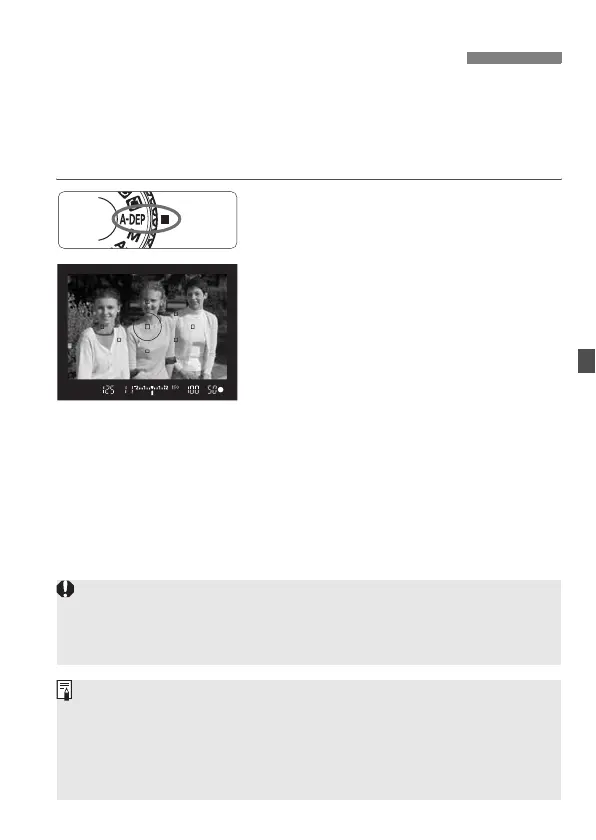
Set the Mode Dial to <8>.
2
Focus the subject.
Aim the AF points over the subjects
and press the shutter button halfway.
(0)
All the subjects covered by the AF
points flashing in red will be in focus.
3
Take the picture.
8:
Automatic Depth-of-Field AE
If the “30"” shutter speed blinks, it indicates that the subject is too dark.
Increase the ISO speed.
If the “8000” shutter speed blinks, it indicates that the subject is too
bright. Decrease the ISO speed.
If the aperture blinks, it indicates that the exposure level is correct but the
desired depth of field cannot be obtained. Either use a wide-angle lens or
move further away from the subjects.
If the camera sets a slow shutter speed, hold the camera steady or use a
tripod.
If you use flash, the result will be the same as using <d> with flash.



 To Next Page