14
Quick Start Guide
1
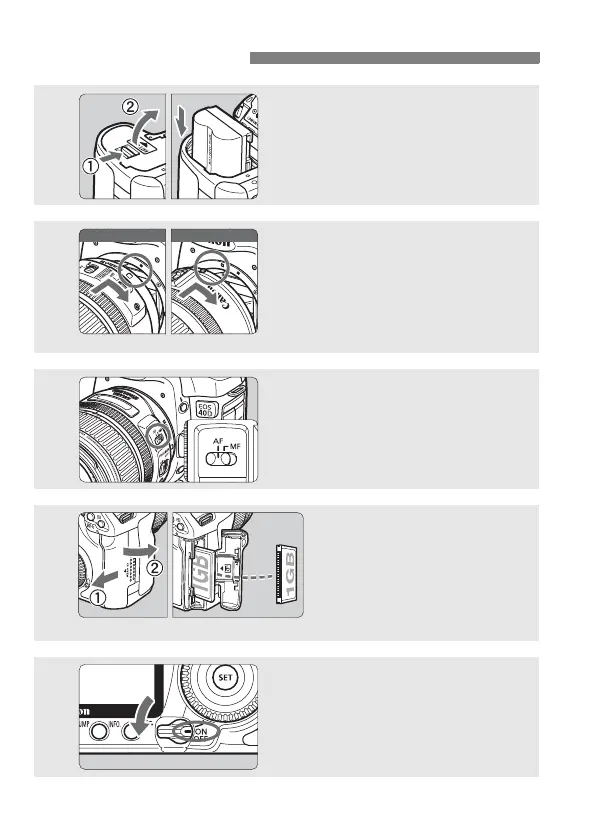
Insert the battery. (p.26)
To recharge the battery, see page 24.
2
Attach the lens. (p.30)
When attaching an EF-S lens, align it
with the white index on the camera.
For other lenses, align it with the red
index.
3
Set the lens focus mode switch
to <AF>. (p.30)
4
Open the CF card slot
cover and insert a CF
card. (p.28)
Face the label side toward you
and insert the end with the
small holes into the camera.
5
Set the power switch to <1>.
(p.32)



 To Next Page