14
Quick Start Guide
1
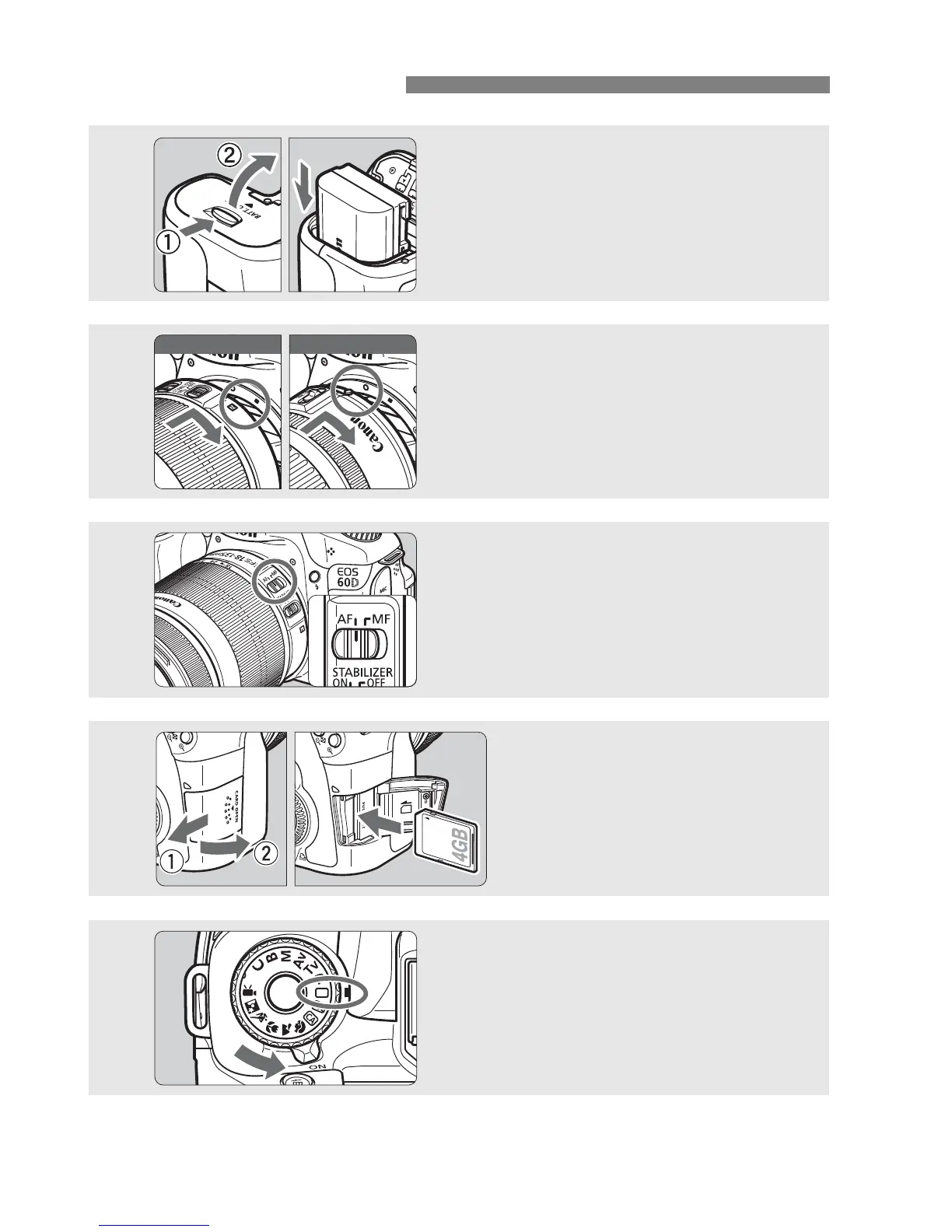
Insert the battery. (p.26)
To charge the battery, see page 24.
2
Attach the lens. (p.34)
Align the lens’ white or red index with
the camera’s index in the matching
color.
3
Set the lens focus mode switch
to <AF>.
(p.34)
4
Open the slot cover and
insert a card.
(p.32)
With the card’s label facing you,
insert it into the slot.
5
Set the power switch to <1>
(p.28), and while holding down
the button at the center of the
Mode Dial, turn the dial to <1>
(Full Auto).
(p.54)
White index Red index






 To Next Page