262
Under the Mode Dial’s <w> position, you can register most of the
current camera settings including your preferred shooting mode,
menus, Custom Function settings, etc.
1
Set the camera.
First set the functions you want to
register: Shooting mode, shutter
speed, aperture, ISO speed, AF
mode, AF point, metering mode, drive
mode, exposure compensation, and
flash exposure compensation.
When setting the menu functions,
refer to the next page.
2
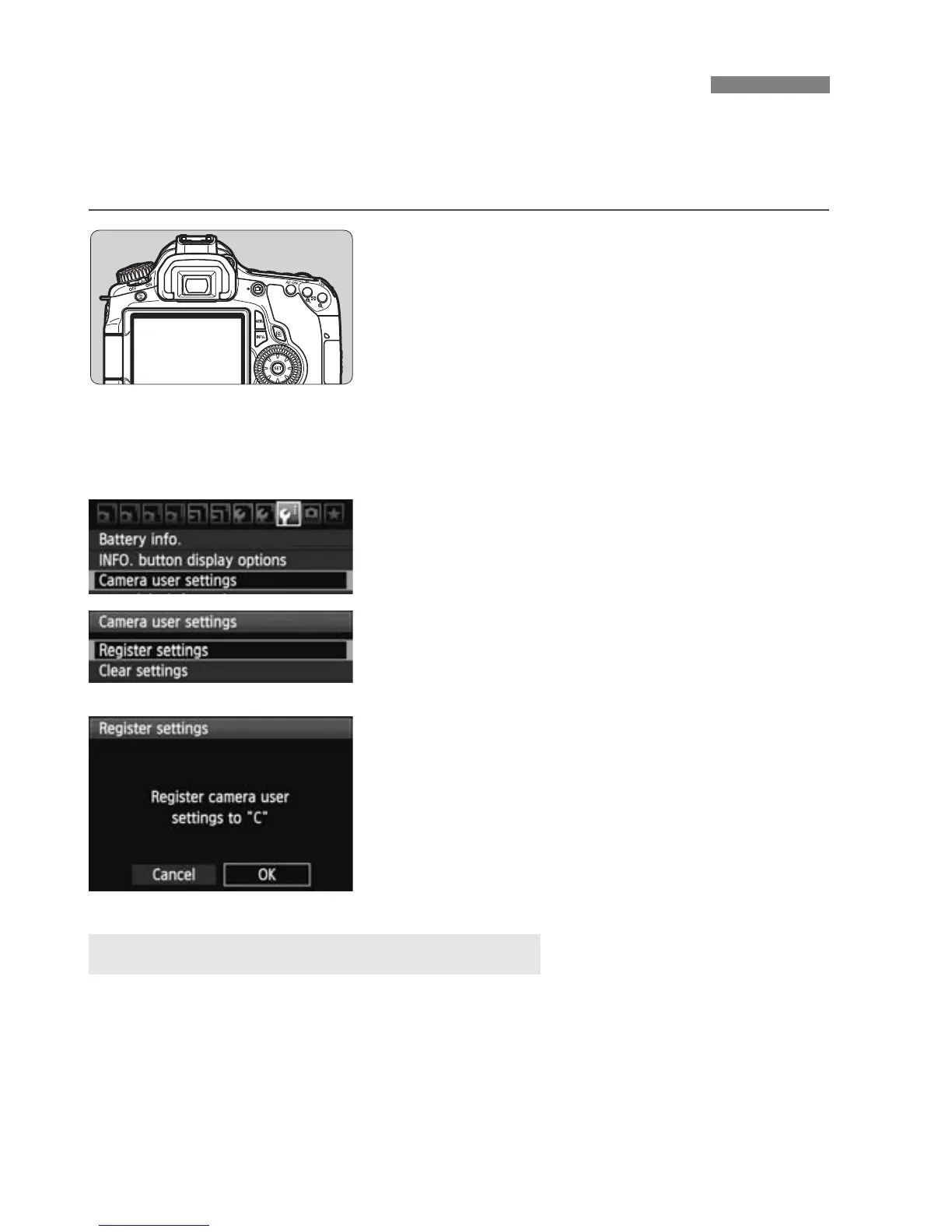
Select [Camera user settings].
Under the [7] tab, select [Camera
user settings], then press <0>.
3
Select [Register settings].
Select [Register settings], then
press <0>.
4
Select [OK].
On the confirmation dialog, select
[OK] and press <0>.
X The current camera settings will be
registered under the Mode Dial’s
<w> position.
In step 3, if you select [Clear settings], the setting of the Mode Dial’s C
position will revert to the default setting.
w: Register Camera User SettingsN
Clearing the Camera User Settings







 To Next Page