46
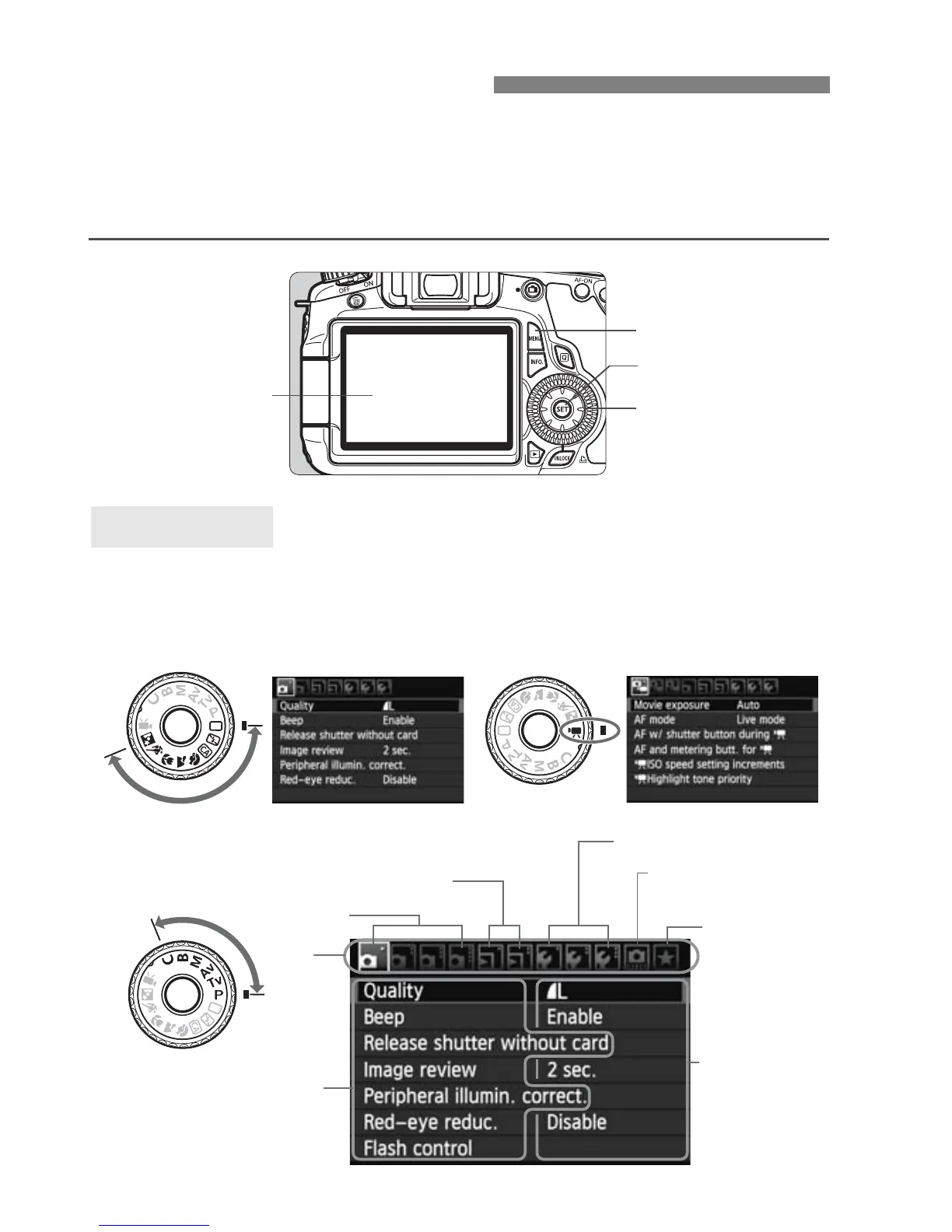
With menus, you can set various functions such as the image-recording
quality, date/time, etc. While looking at the LCD monitor, press the
<M> button on the camera back to display the menu screen and use
the <V> <U> keys and <0> button.
3 Menu Operations
<V> <U>
Tab
Menu items
Menu set ings
1 Shooting
LCD monitor
5 Set-up
9 My Menu
<0> button
3 Playback
In the Basic Zone, Creative Zone, and Movie shooting modes, the tabs
and menu options displayed will be different.
Menu Screen
Basic Zone modes Movie shooting mode
Creative Zone modes
<M> button
8
Custom Functions







 To Next Page