57
1 Full Auto Techniques
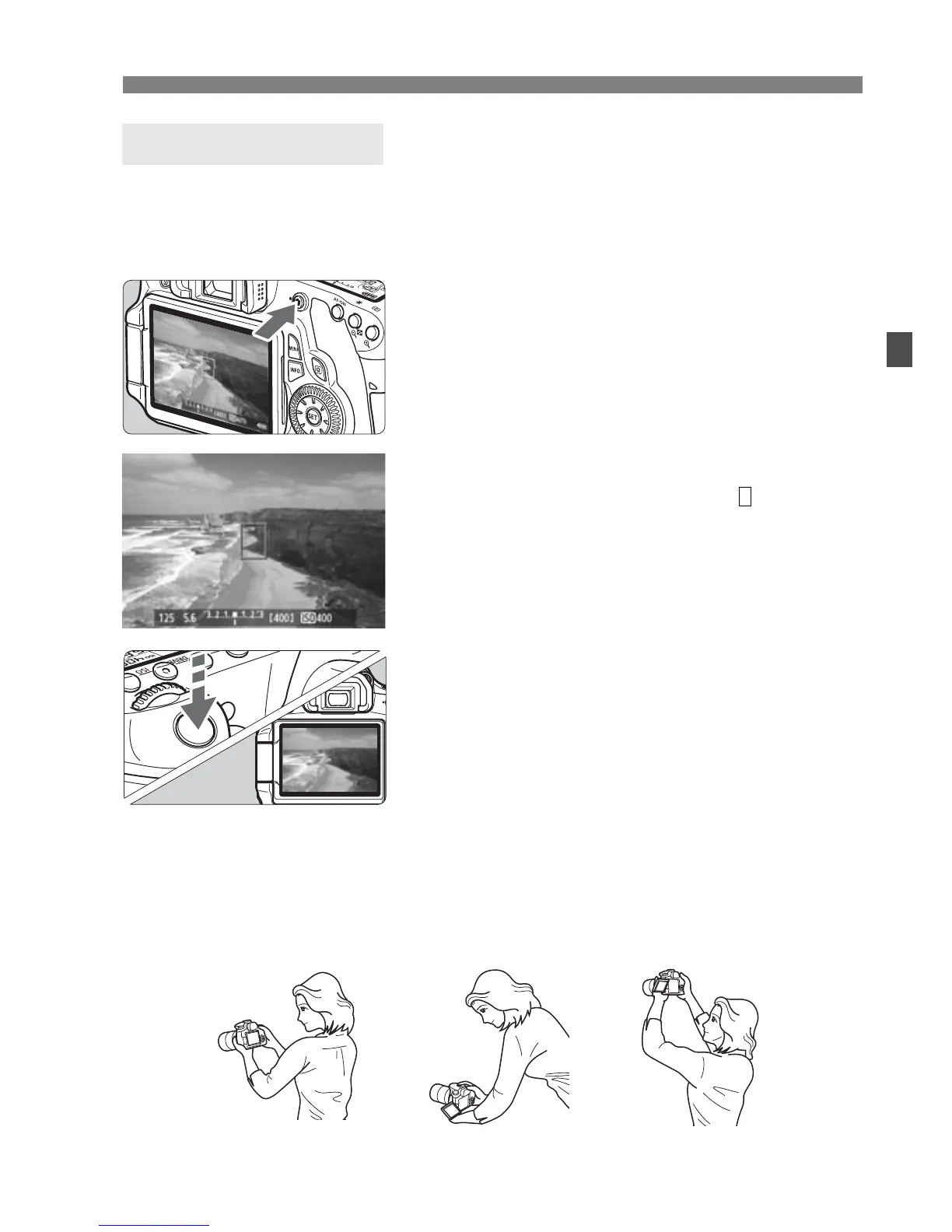
By pressing the <A> button, you can shoot while viewing the image on
the camera’s LCD monitor. This is called Live View shooting. For
details, see page 151.
1
Display the shooting image on
the LCD monitor.
Press the <A> button.
X The image will appear on the LCD
monitor.
2
Focus the subject.
Aim the center AF point < > on the
subject.
Press the shutter button halfway to
focus.
3
Take the picture.
Press the shutter button completely.
X
The picture will be taken and the captured
image is displayed on the LCD monitor.
X After the image review ends, the
camera will return to Live View
shooting automatically.
Press the <A> button to exit Live
View shooting.
You can also rotate the LCD monitor in different directions (p.27).
Live View Shooting
Normal angle Low angle High angle






 To Next Page