?:~
Selecting a Picture Style *
I~::'NI
Neutral
This Picture Style is
for
users
who
prefer
to process
images
with
their computer.
For
natural colors and subdued images.
1~::'FI
Faithful
This Picture Style is
for
users
who
prefer
to process
images
with
their computer.
When
the subject is captured
under
a daylight color
temperature
of
5200K, the color is adjusted calorimetrically to match
the subject's color.
The
image
is dull and subdued.
I~::'MI
Monochrome
(@):
Monochrome
image)
Creates
black-and-white
images.
--
Black-and-white images shot
in
JPEG cannot be reverted to color. If
you want to later shoot pictures in color, make sure the
[Monochrome] setting has been canceled. When
[Monochrome]
is
selected,
<B1W>
will appear
inthe
viewfinder and on the LCD panel.
1~::'11
User
Oef. 1-3
You can register a
basic
style such as [Portrait], [Landscape], a
Picture Style file, etc.,
and
adjust
it
as
desired (p.68).
Any
User-
Defined Picture Style
which
has
not
been
set
will
have
the
same
settings as the Standard Picture Style.
CD
Sharpness
()
Contrast
0
Saturation
~o
6)
Color tone
~
Filter effect (Monochrome)
0
Toning effect (Monochrome)
~
~~~~.
~
~
Picture
Style
'"',
St~~dard",
,
()'
3,4)
O.Q%
o.fS
'9~'
'..."
,
«'"
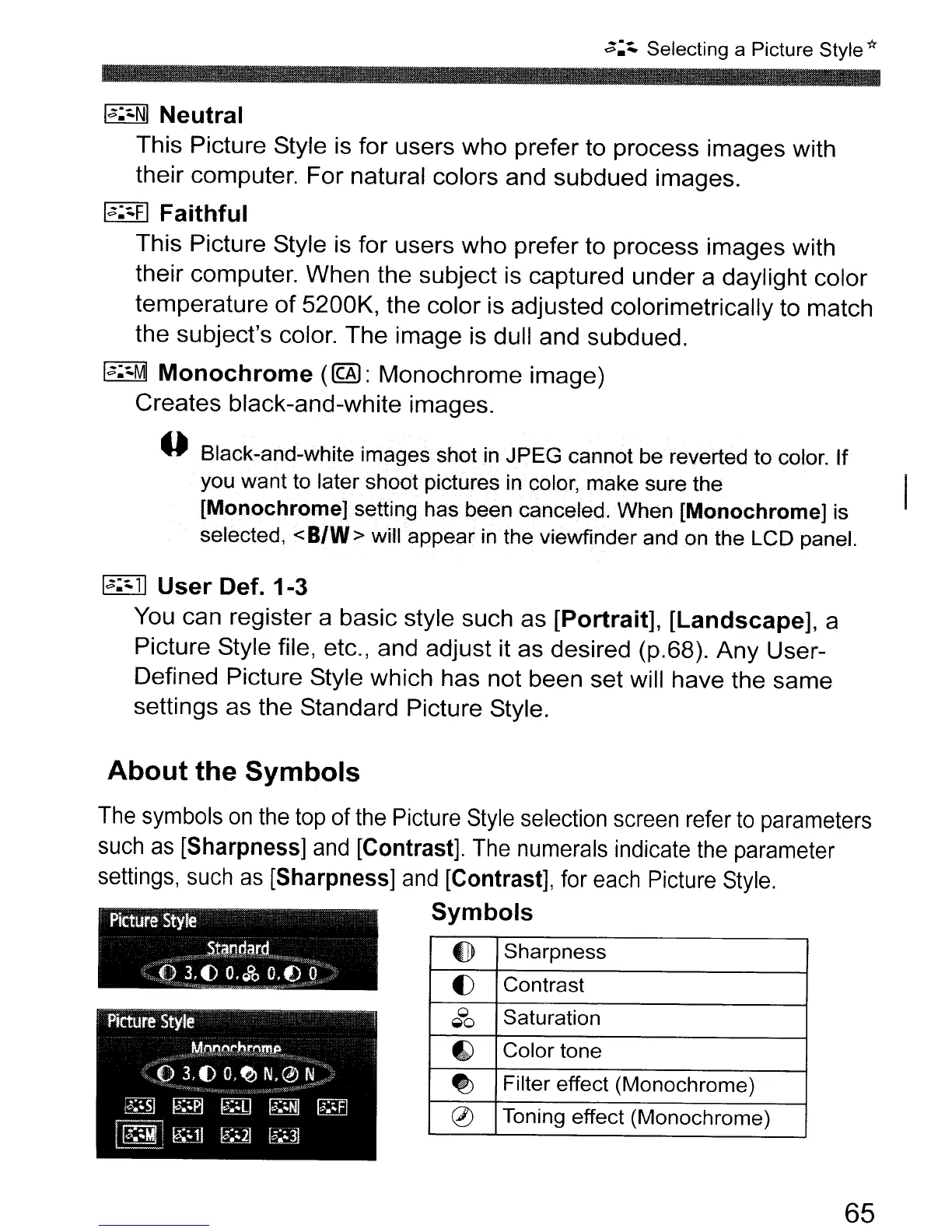
About
the
Symbols
The
symbols
on
the top of the Picture Style selection screen refer
to
parameters
such
as
[Sharpness] and [Contrast]. The numerals indicate
the
parameter
settings, such
as
[Sharpness]
and
[Contrast], for each Picture Style.
Symbols
65



 To Next Page