IliI3ml
Lens Peripheral Illumination Correction _
Due to the lens characteristics, the four corners
of
the picture might look
darker. This is called lens light fall-off or drop
in
peripheral illumination.
With JPEG images, the correction is done when the image is captured.
For RAW images, it can be corrected with Digital Photo Professional
(provided software).
The default setting
is
[Enable].
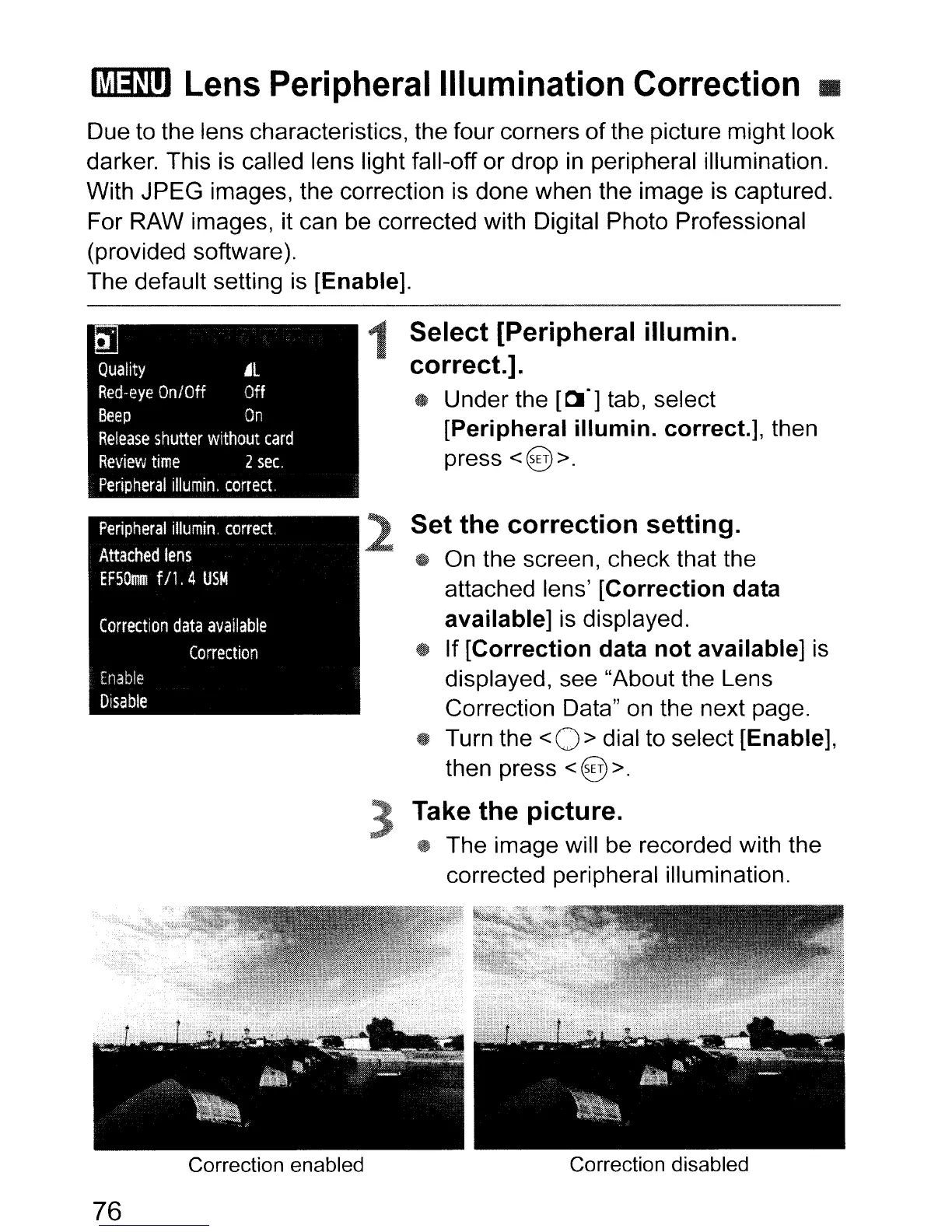
1 Select [Peripheral
illumin.
correct.].
* Under the
[~.]
tab, select
[Peripheral
illumin.
correct.]
, then
press
<@>.
Set the
correction
setting.
tf
On the screen, check that the
attached lens'
[Correction
data
available] is displayed.
tf
If
[Correction
data
not
available]
is
displayed, see "About the Lens
Correction Data" on the next page.
~
Turn the < 0 > dial to select [Enable],
then press
<@ >.
3 Take
the
pictu
reo
~
The image will be recorded with the
corrected peripheral illumination.
76
Correction enabled
Correction disabled



 To Next Page