AF Area Selection Modes
The AF areas are explained starting with the smallest one.
"
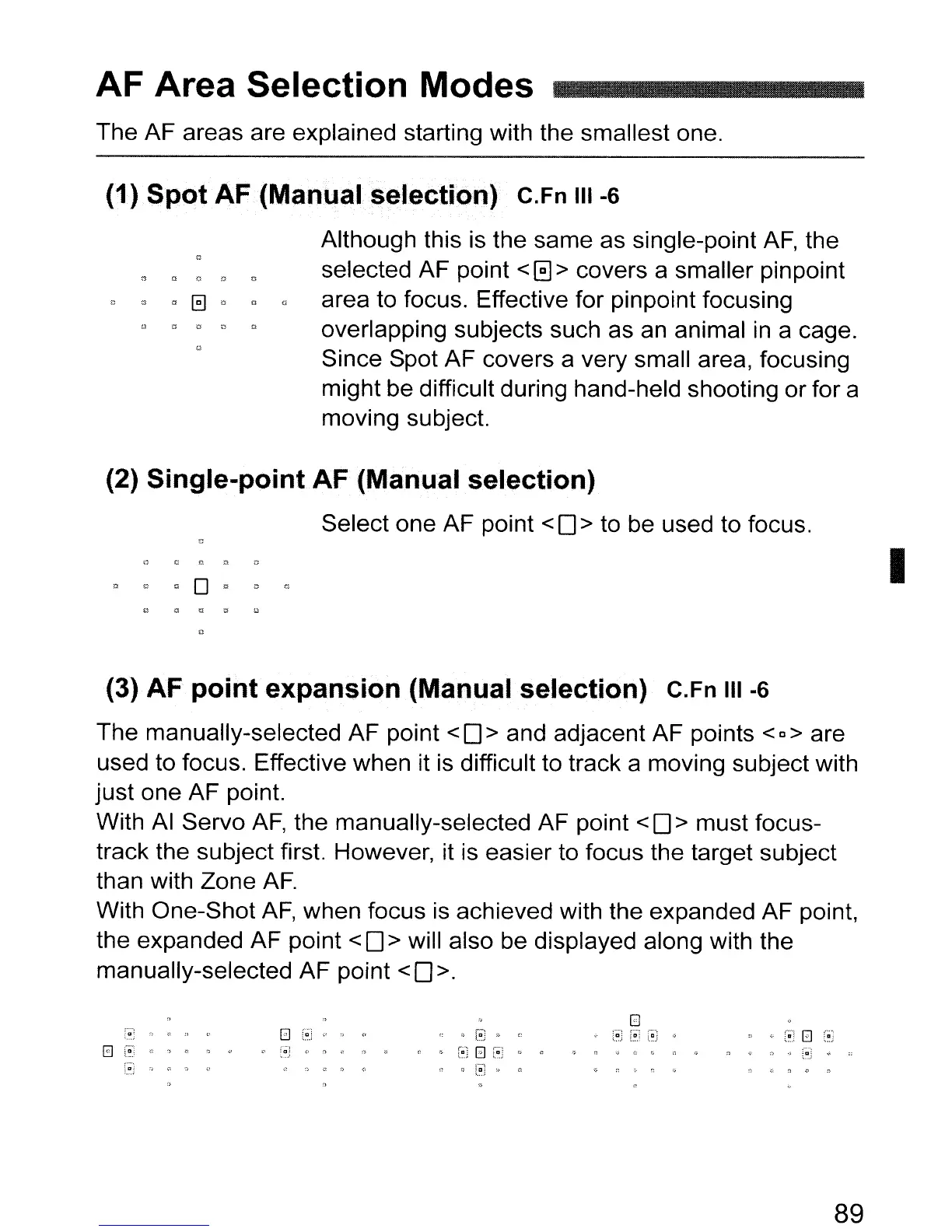
(1) Spot AF (Manual selection) C.Fn III -6
Although this is the same as single-point
AF,
the
selected AF point
< 0 > covers a smaller pinpoint
area to focus. Effective for pinpoint focusing
overlapping subjects such as an animal
in
a cage.
Since Spot AF covers a very small area, focusing
might be difficult during hand-held shooting or for a
moving subject.
(2) Single-point AF (Manual selection)
Select one AF point <
0>
to be used to focus.
I
(3) AF point expansion (Manual selection) C.Fn III
-6
The manually-selected AF point < 0 > and adjacent AF points < D > are
used to focus. Effective when it is difficult to track a moving subject with
just one AF point.
With
AI
Servo
AF,
the manually-selected AF point < 0 > must focus-
track the subject first. However, it is easier to focus the target subject
than with Zone
AF.
With One-Shot
AF,
when focus
is
achieved with the expanded AF point,
the expanded AF point
< 0 > will also be displayed along with the
manually-selected AF point
< 0>.
~
~
;-:<
::; ("!
El
(OJ
89



 To Next Page