WB:
Setting the White Balance *
~
•..d
Custom
White
Balance
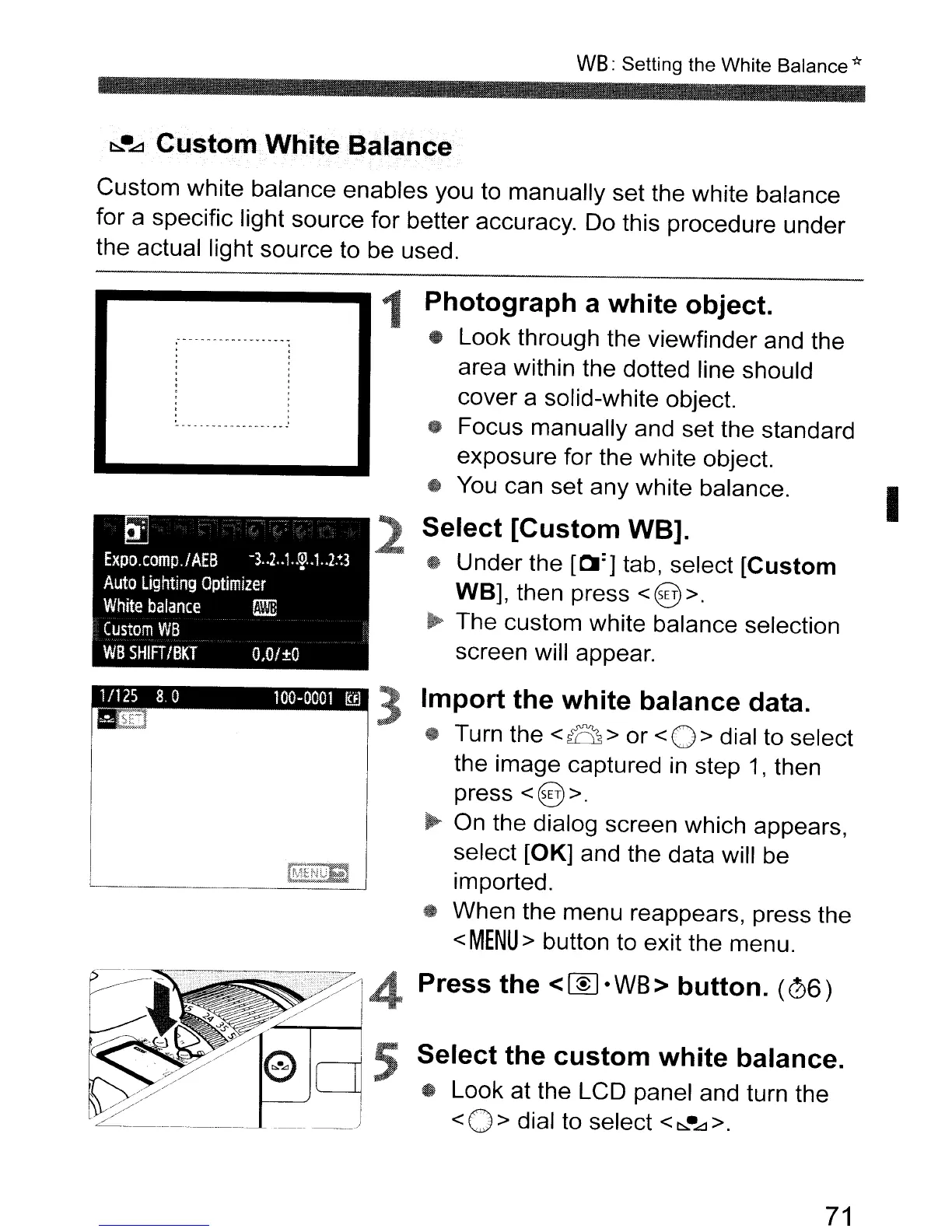
Custom white balance enables you to manually set the white balance
for a specific light source for better accuracy. Do this procedure under
the actual light source to be used.
I
Select
the
custom
white
balance.
• Look at the LCD panel and turn the
< 0 > dial to select <
~·Ll
>.
2
1
Photograph
a
white
object.
• Look through the viewfinder and the
area within the dotted line should
cover a solid-white object.
~
Focus manually and set the standard
exposure for the white object.
• You can set any white balance.
Select
[Custom
WB].
@ Under the [01:] tab, select
[Custom
WB], then press < @ >.
~
The custom white balance selection
screen will appear.
3
Import
the
white
balance
data.
~
Turn the
<~>
or
<0>
dial to select
the image captured
in
step
1,
then
press
<@>.
~
On the dialog screen which appears,
select [OK] and the data will be
rr~~l);S
. d
'--
,:_.y'>~_,.,
...
_
..
_.
; Importe .
4t
When the menu reappears, press the
<MENU>
button to exit the menu.
Press
the
<~·WB>
button.
(06)
71



 To Next Page