AF:
Selecting the AF
Mode
{[
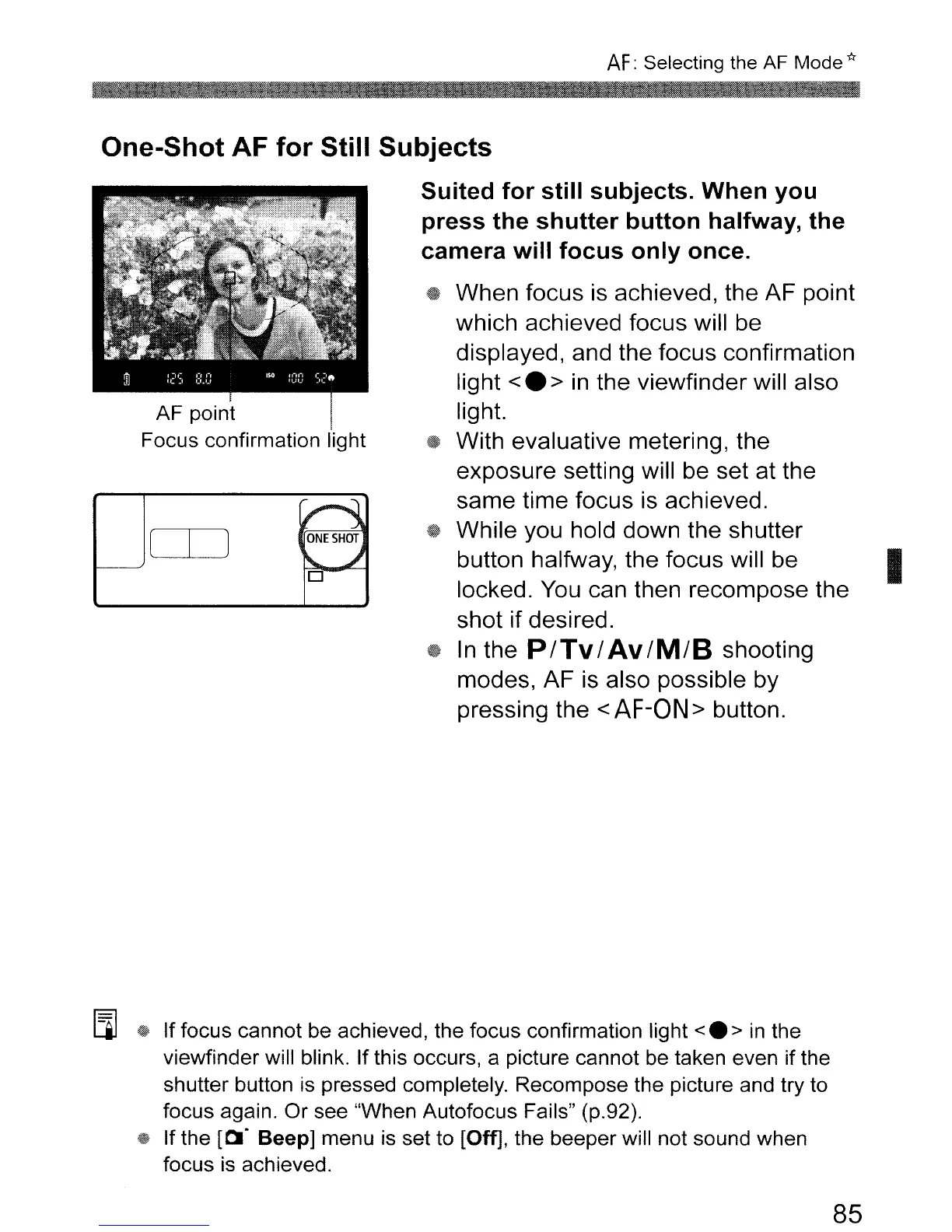
AF point
Focus confirmation light
One-Shot
AF
for
Still
Subjects
Suited
for
still
subjects.
When
you
press
the
shutter
button
halfway,
the
camera
will
focus
only
once.
~
When focus is achieved, the AF point
which achieved focus will be
displayed, and the focus confirmation
light
<.
>
in
the viewfinder will also
light.
~
With evaluative metering, the
exposure setting will be set at the
same time focus is achieved.
~.
While you hold down the shutter
button halfway, the focus will be
I
locked.
You
can then recompose the
shot
if desired.
~
In
the P
lTv
I
Av
IM/B
shooting
modes, AF is also possible by
pressing the
<
AF-ON
> button.
~~
CD
ONE
SHOT
"-
~
0
[i]
~
If
focus cannot be achieved, the focus confirmation light
<e>
in
the
viewfinder will blink. If this occurs, a picture cannot be taken even if the
shutter button
is
pressed completely. Recompose the picture and try to
focus again.
Or
see "When Autofocus Fails" (p.92).
i@
If the
[~.
Beep] menu
is
set to [Off], the beeper will not sound when
focus
is
achieved.
85



 To Next Page