Printing PDF, PS, or Image Files Directly (Direct Print)
2-26
2
Checking and Managing Functions
3
Specify the settings for Specify Print Range.
If you want to specify the pages to print by the page number, click [Pages] ➞
enter the page numbers. Only the setting for the item whose radio button is
selected will be effective.
4
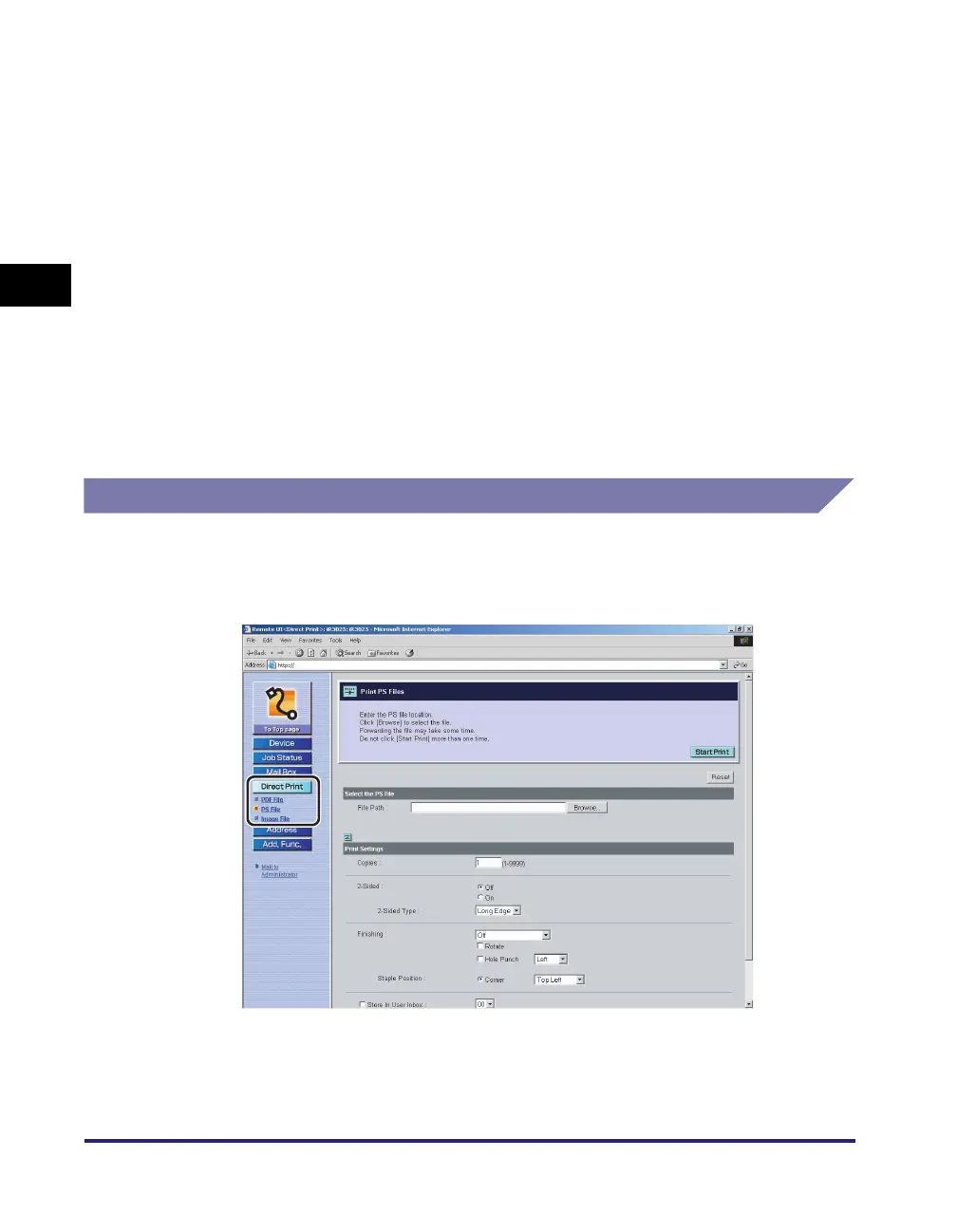
Specify the settings under Print Settings according to your
preference.
Scroll down if desired settings are not displayed.
To restore the settings to their original values, click [Reset].
5
Click [Start Print].
To check the files that have been sent to the machine to be printed, click [to Job
List] on the message box that appears after you click [Start Print].
Printing PS Files Directly
1
Click [Direct Print] ➞ select [PS File] from the menu that
appears under [Direct Print].
If Department ID Management is set, a dialog box prompting you to enter the
Department ID and password appears. Enter the Department ID and password
➞ click [OK].















 To Next Page