Note
•
For details on supported types and sizes of paper, see Paper Sizes or the Paper Reference Guide. (See "Paper
Sizes.") ➔P.310 (See "Types of Paper.") ➔P.310
1
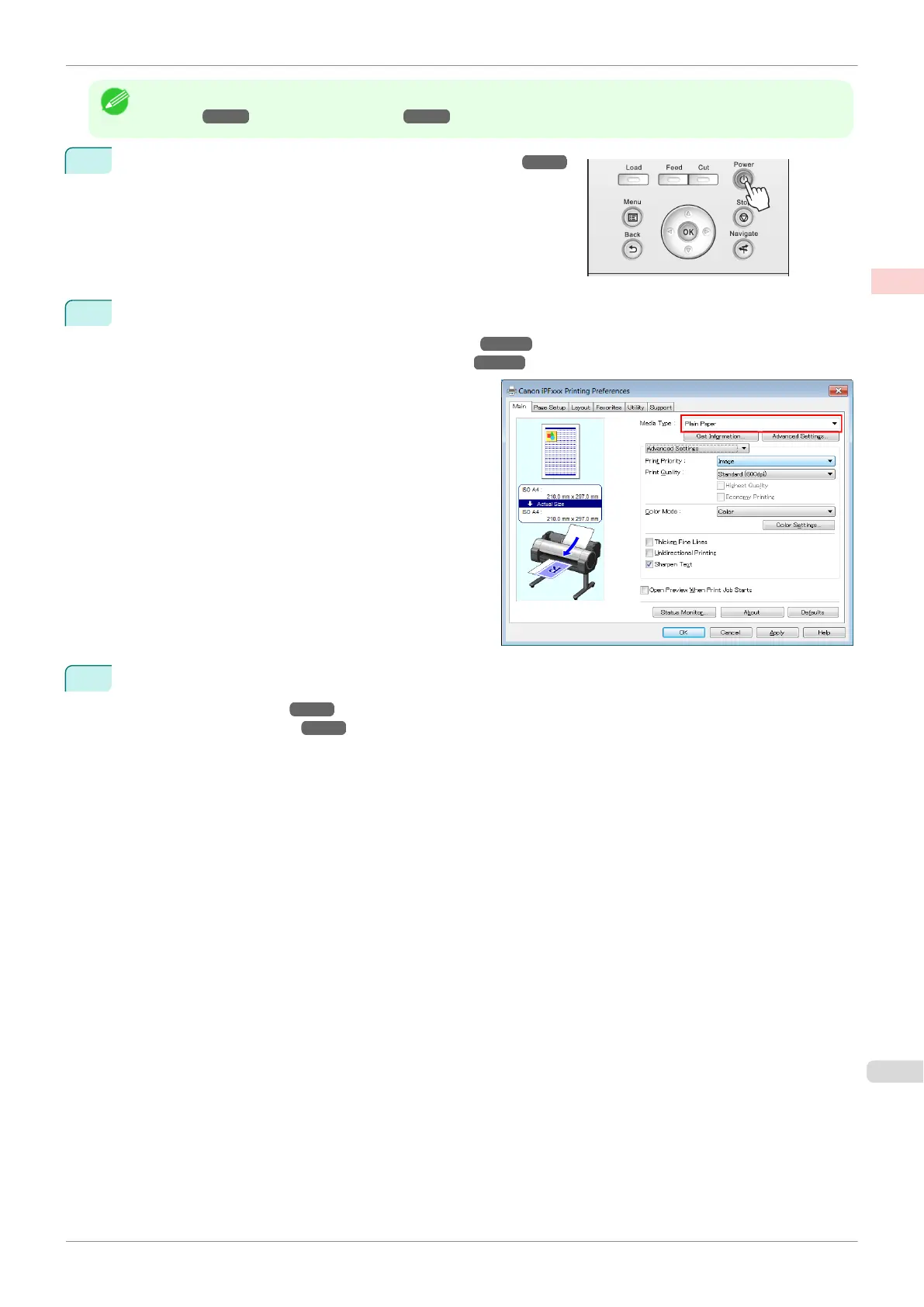
Turn the printer on. (See "Turning the Printer On and Off.") ➔P.15
2
Complete settings in the printer driver for the type of paper and other details.
•
Specifying Paper in the Printer Driver (Windows) ➔P.142
•
Specifying Paper in the Printer Driver (Mac OS) ➔P.249
3
Send the print job.
•
Printing in Windows ➔P.20
•
Printing from Mac OS ➔P.21
iPF770
Loading and Printing on Sheets
User's Guide
Basic Printing Workflow Printing procedure
19


 To Next Page
 Loading...











