10
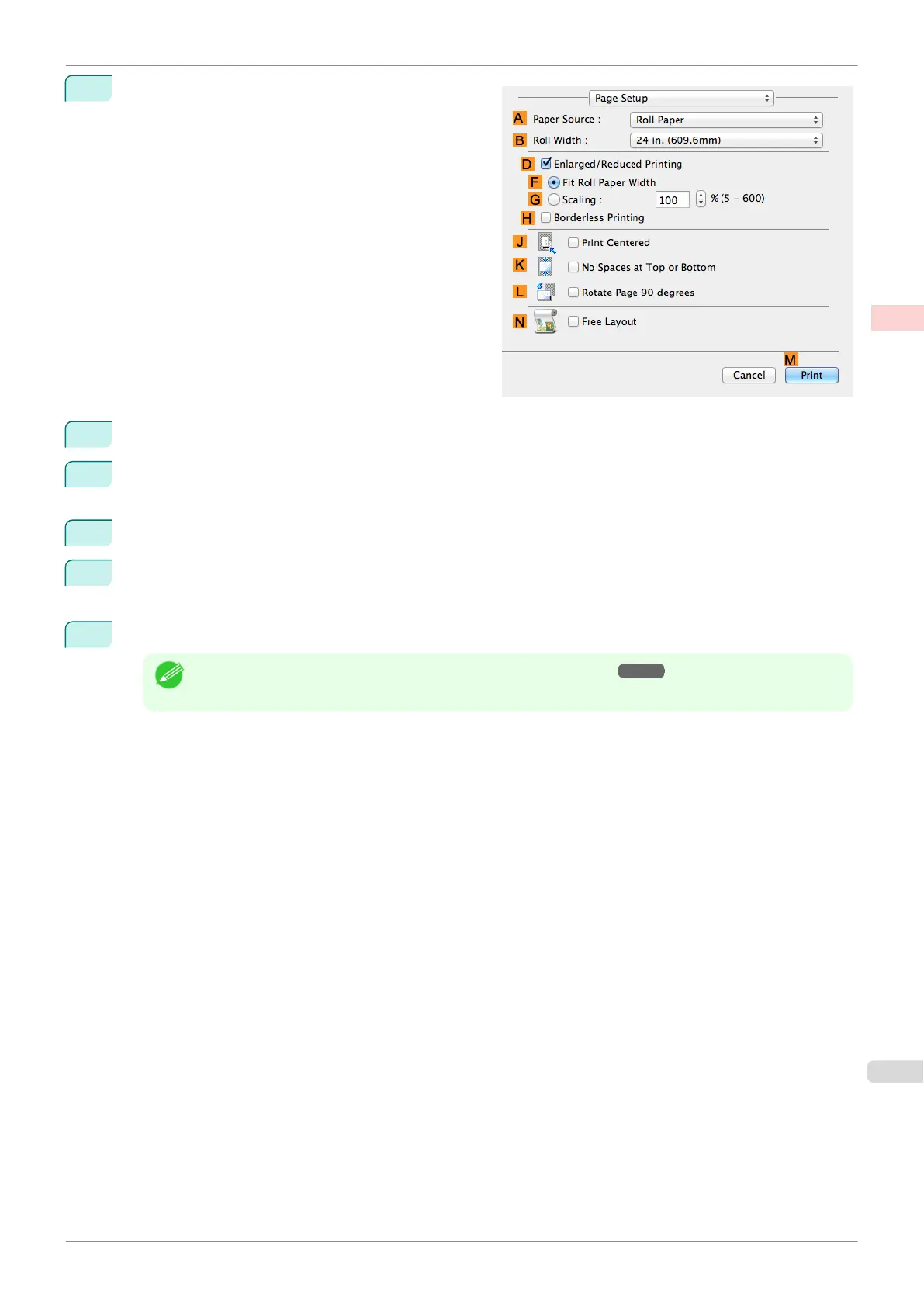
Access the Page Setup pane.
11
Select and click a roll paper in the A Paper Source list.
12
Select the paper width of the roll loaded in the printer for B Roll Width. In this case, 10 in. (254.0mm) is
selected.
13
Select the DEnlarged/Reduced Printing check box.
14
Select the HBorderless Printing check box.
This ensures that FFit Roll Paper Width is automatically selected in D Enlarged/Reduced Printing.
15
Confirm the print settings, and then click MPrint to start printing.
Note
•
For tips on confirming print settings, see "Confirming Print Settings ." ➔P.250
iPF770
Borderless Printing by Resizing Originals to Fit the Roll Width (Mac OS)
User's Guide
Enhanced Printing Options Borderless Printing
85


 To Next Page
 Loading...











