• H Add
Click to display the Add dialog box, which enables you to add the current print settings as a favorite.
• I Import
Click to display the Open dialog box, which enables you to import favorite settings saved as a file.
• J Export
Click to display the Save As dialog box, which enables you to save the favorite settings as a file.
• K Up
Click to move the selected favorite up in the AFavorites list.
• LDown
Click to move the selected favorite down in the AFavorites list.
Utility Sheet
Utility Sheet
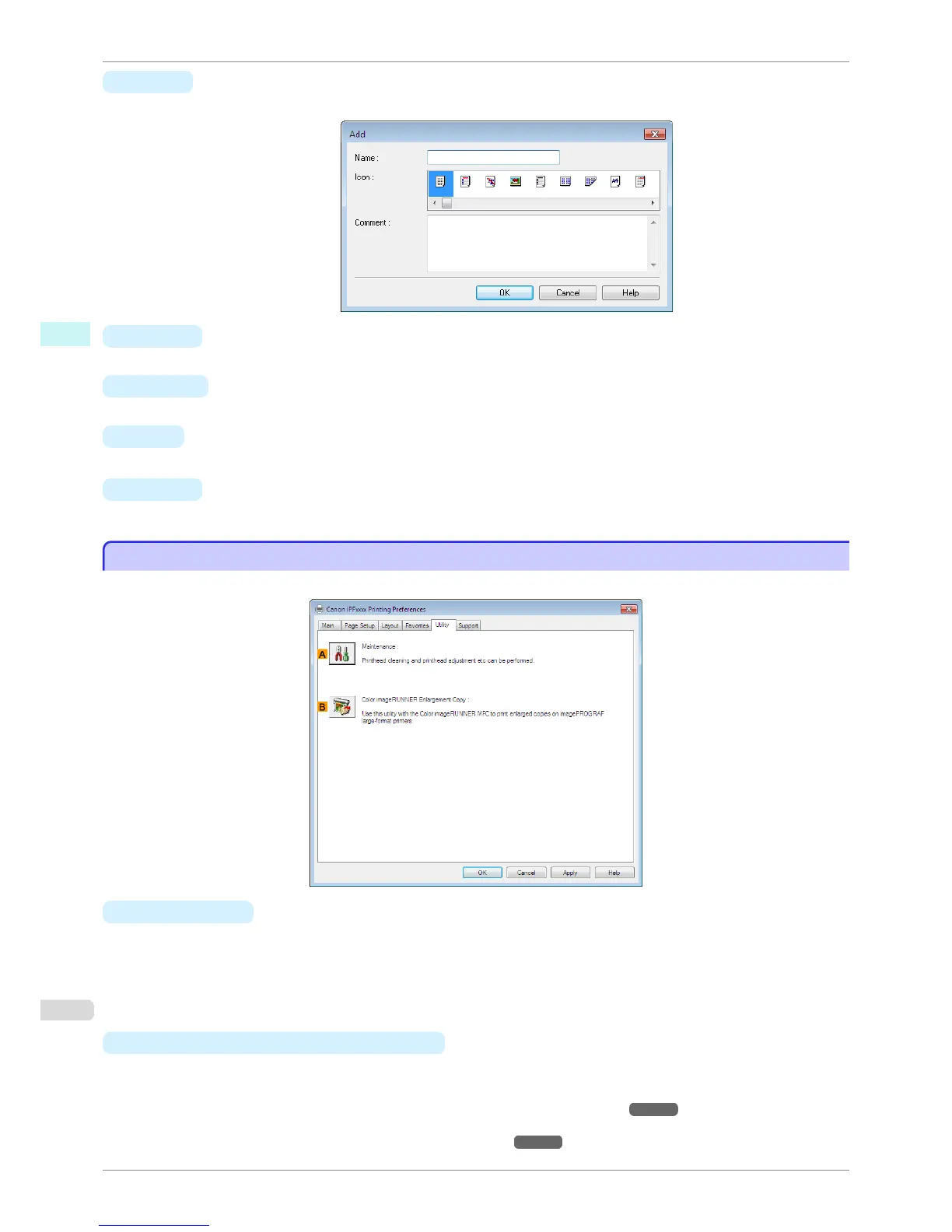
The following items can be executed on the Utility sheet. For details on the utilities, refer to the relevant utility help.
•
A
Maintenance
Click to start the imagePROGRAF Status Monitor, which offers the following maintenance for the printer.
•
Nozzle (ink ejecting outlet) check
•
Nozzle (ink ejecting outlet) cleaning
•
Head alignment adjustment
•
Feed amount adjustment
• B
Color imageRUNNER Enlargement Copy
Click to launch Color imageRUNNER Enlargement Copy (iR enlargement copy), which enables you to cre-
ate hot folders used for Color imageRUNNER Enlargement Copy and assign print settings to hot folders.
•
Printing Enlargements of Scanned Originals from a Color imageRUNNER ➔ P.210
For details, see "Color imageRUNNER Enlargement Copy." ➔ P.202
Utility Sheet
iPF780
User's Guide
Windows Software Printer Driver
168


 To Next Page
 Loading...











