Editing Media Type Information for Genuine Paper and Feed Confirmed Paper
Editing Media Type Information for Genuine Paper and Feed Confirmed Paper
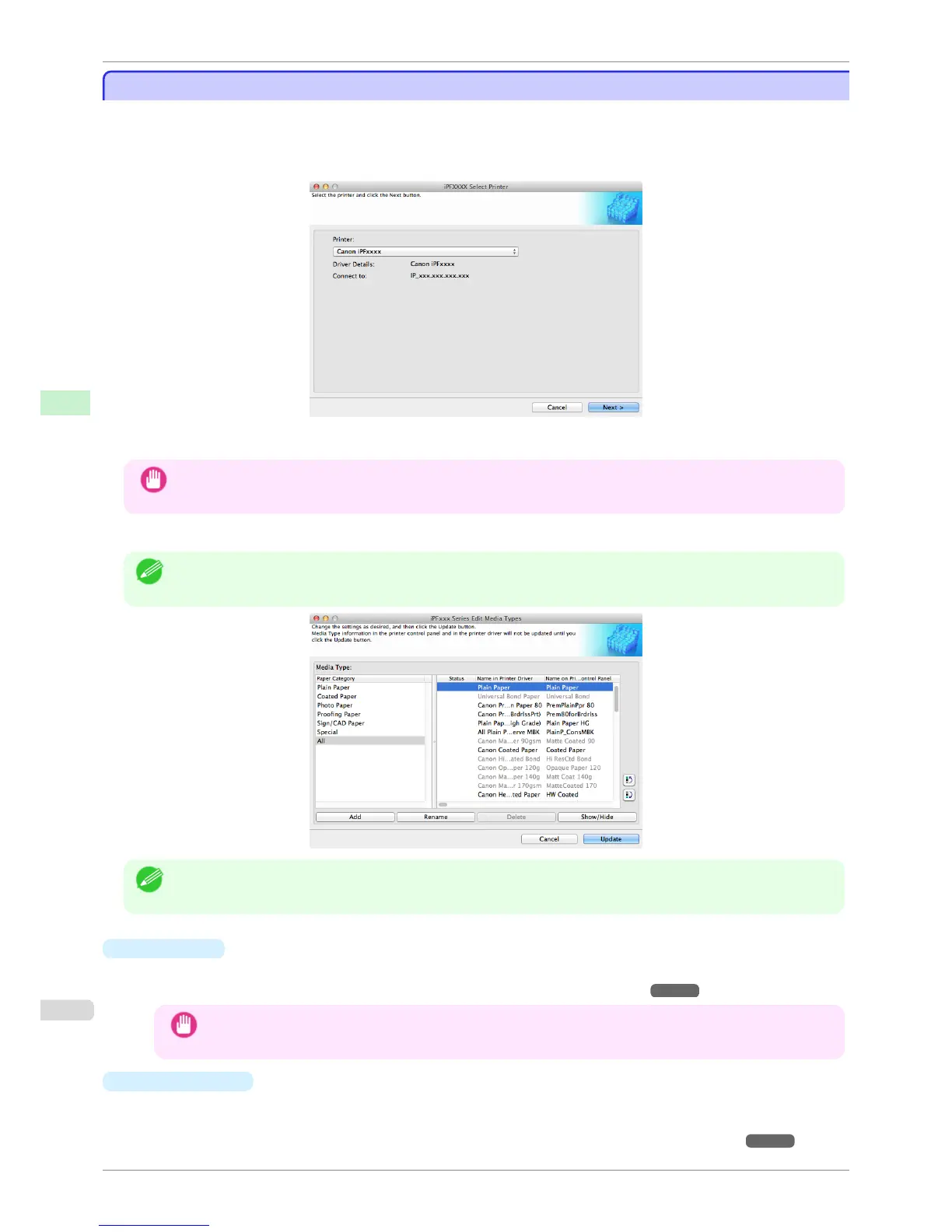
To add genuine paper and feed confirmed paper to the printer control panel and printer driver and edit the media
type information, click the Add Genuine Paper button in the Media Configuration Tool main window.
Confirm the printer, where media type information is to be updated, to be displayed in Printer in the Select Printer
dialog box, and then click the Next button.
Communication with the printer begins.
Important
• Do not attempt to print or turn the printer off while the program is communicating with the printer.
The Edit Media Types dialog box is displayed.
Note
• In the following screens, you cannot change the printer where media type information is to be updated.
Note
• Paper that is displayed grayed out does not appear in the printer driver or printer panel.
•
Add Button
To add genuine paper or feed confirmed paper to the printer control panel and printer driver, click this button.
For details on the procedure for adding media types, see "Adding Media Types." ➔ P.385
Important
• To add media types, download the media information file (.amf file) in advance from the Canon website.
•
Rename
Button
To change the name on the printer control panel and the name in the printer driver for genuine paper and feed
confirmed paper, select the paper to change and click this button.
For details on the procedure for changing paper display names, see "Changing Media Names." ➔ P.388
Editing Media Type Information for Genuine Paper and Feed Conrmed Paper
iPF780
User's Guide
Handling and Use of Paper Media Conguration Tool (Mac OS)
384



 To Next Page
 Loading...










