2
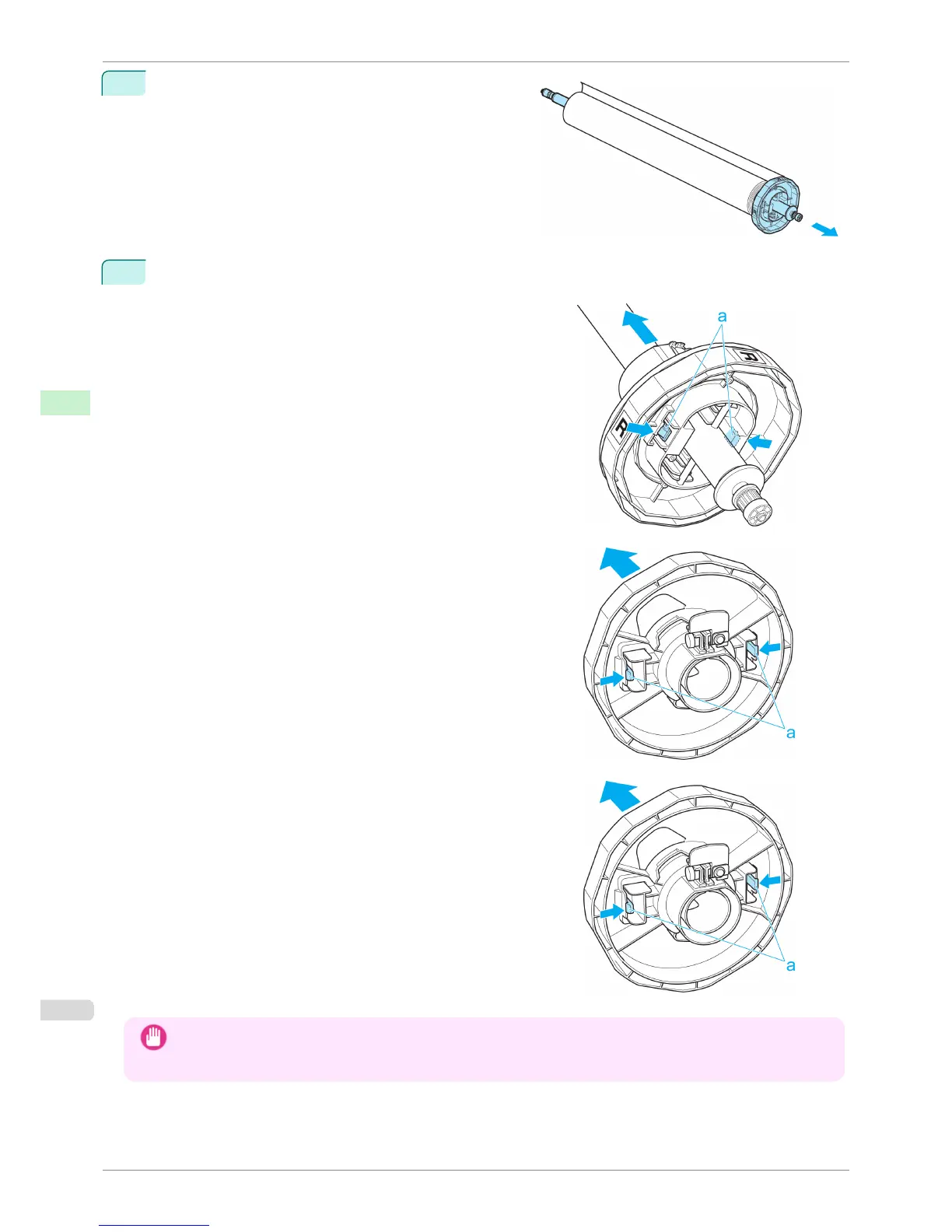
Remove the Roll Holder from the roll.
3
When removing attachments, push the tips (a) in as you remove the attachment.
•
3-Inch Paper Core Attachment R (Roll Holder side)
•
3-Inch Paper Core Attachment L (Holder Stopper side)
•
2-Inch Paper Core Attachment
Important
• Store the roll in the original bag or box, away from high temperature, humidity, and direct sunlight. If paper is not
stored properly, the printing surface may become scratched, which may affect the printing quality when you use it
again.
Removing the Roll Holder from Rolls
iPF780
User's Guide
Handling and Use of Paper Handling rolls
346


 To Next Page
 Loading...











