Specifying Common Settings
5-27
Customizing Settings
5
2
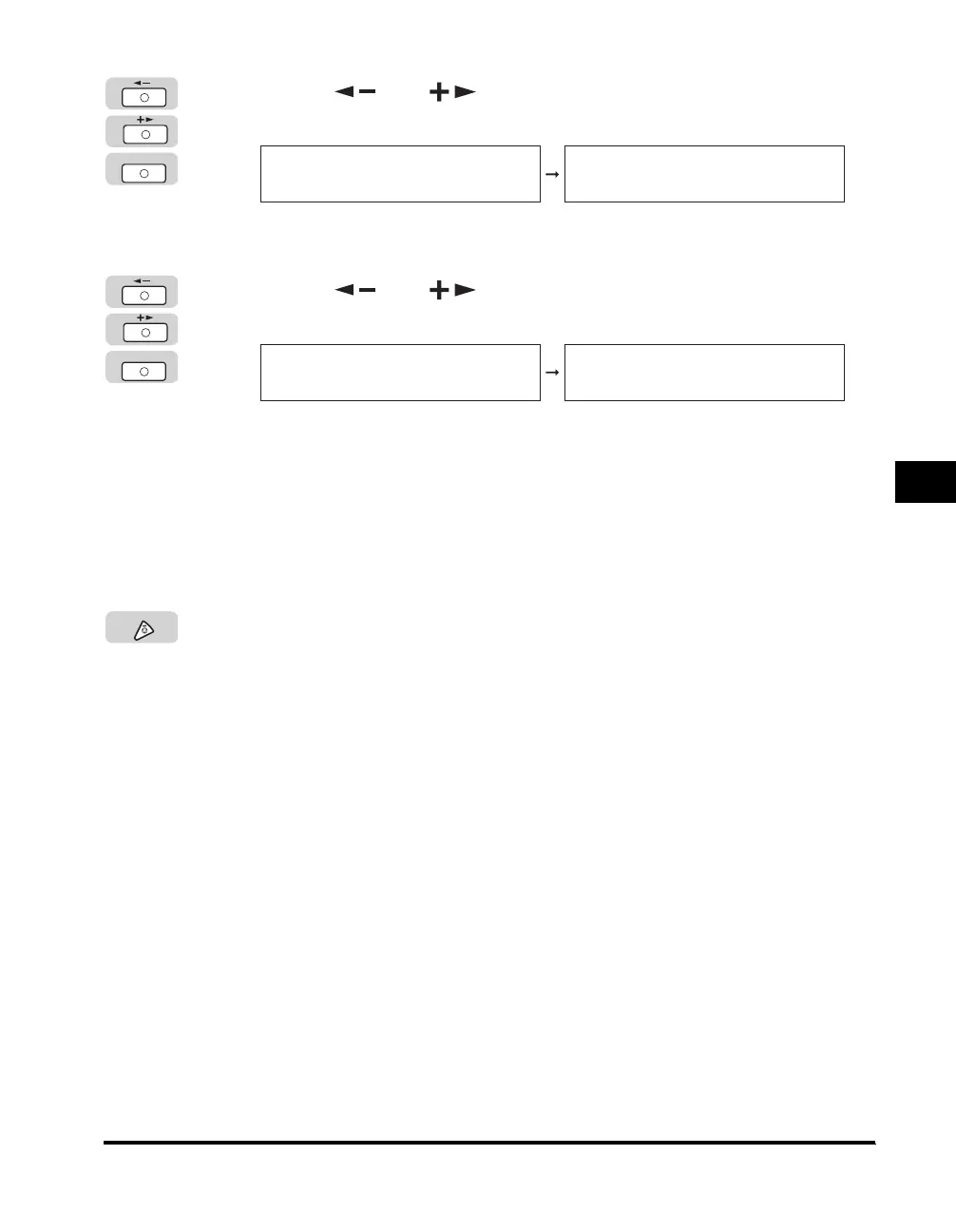
Press [ ] or [ ] until <ENERGY IN SLEEP> appears ➞
press [OK].
The <ENERGY IN SLEEP> menu appears.
3
Press [ ] or [ ] to select <HIGH> or <LOW> ➞
press [OK].
Details of each item are shown below.
<LOW>: Energy consumption in the Sleep mode is low, but it takes longer to
recover from the Sleep mode.
<HIGH>: Energy consumption in the Sleep mode is high, but it takes shorter to
recover from the Sleep mode.
The level of the energy consumption is set.
4
Press [Stop] to return to the Standby display.
OK
COMMON SETTINGS
8.ENERGY IN SLEEP
ENERGY IN SLEEP
LOW
OK
ENERGY IN SLEEP
LOW
COMMON SETTINGS
9.TRAY DESIGNATION
Stop



 To Next Page