Replacing the Staple Cartridge
7-20
Routine Maintenance
7
Replacing the Staple Cartridge
When the optional Finisher-U1 is almost out of staples and the staple cartridge
must be replaced, the following display appears. Follow the procedure described
below to replace the staple cartridge.
NOTE
We recommend that you order staple cartridges from your local authorized Canon dealer
before your stock runs out.
1
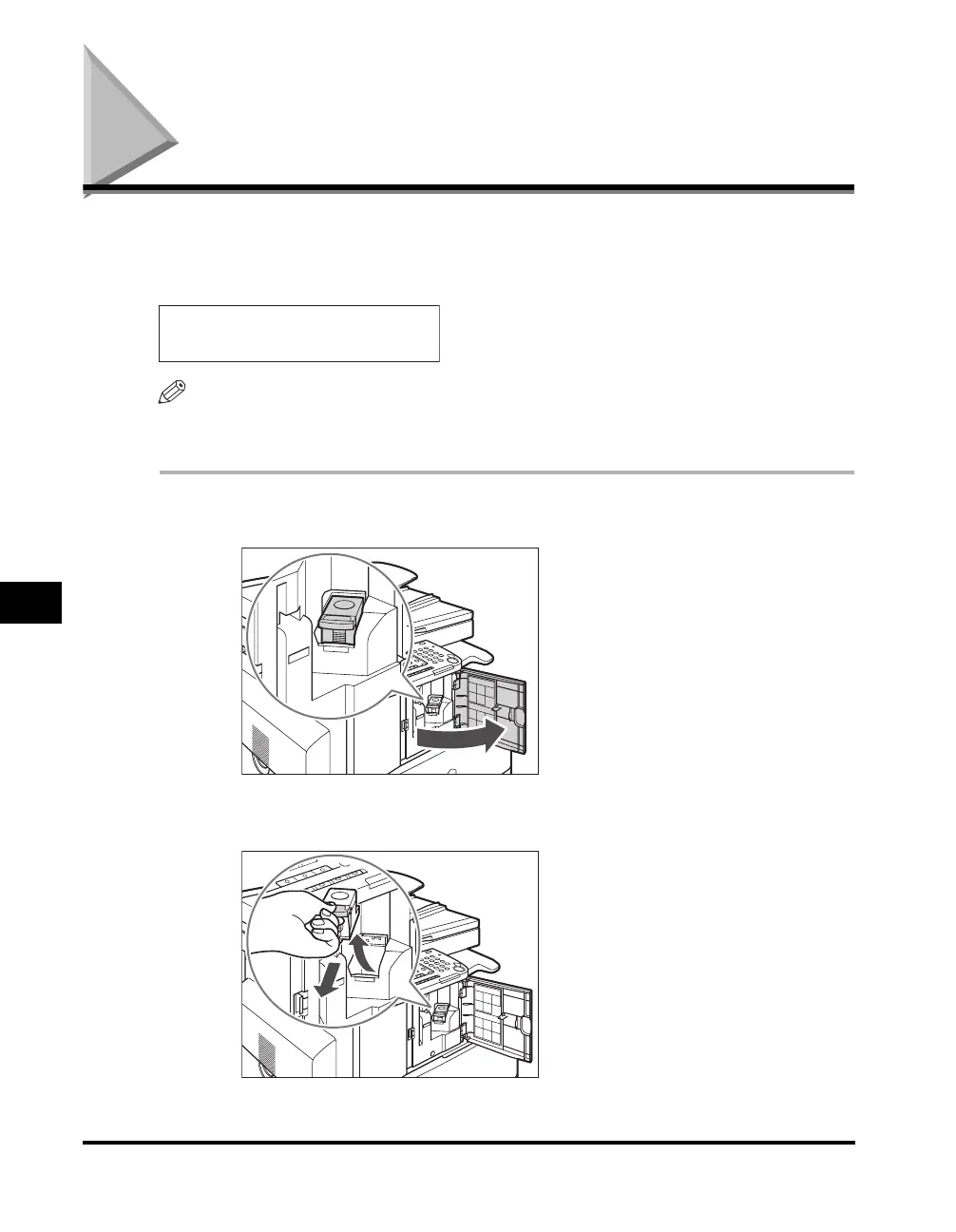
Open the front cover of the finisher.
2
Pull out the staple case, holding the tab as illustrated below.
OUT OF STAPLES
REPLACE STAPLE CART.



 To Next Page