Device Information Settings
6-34
System Manager Settings
6
Device Information Settings
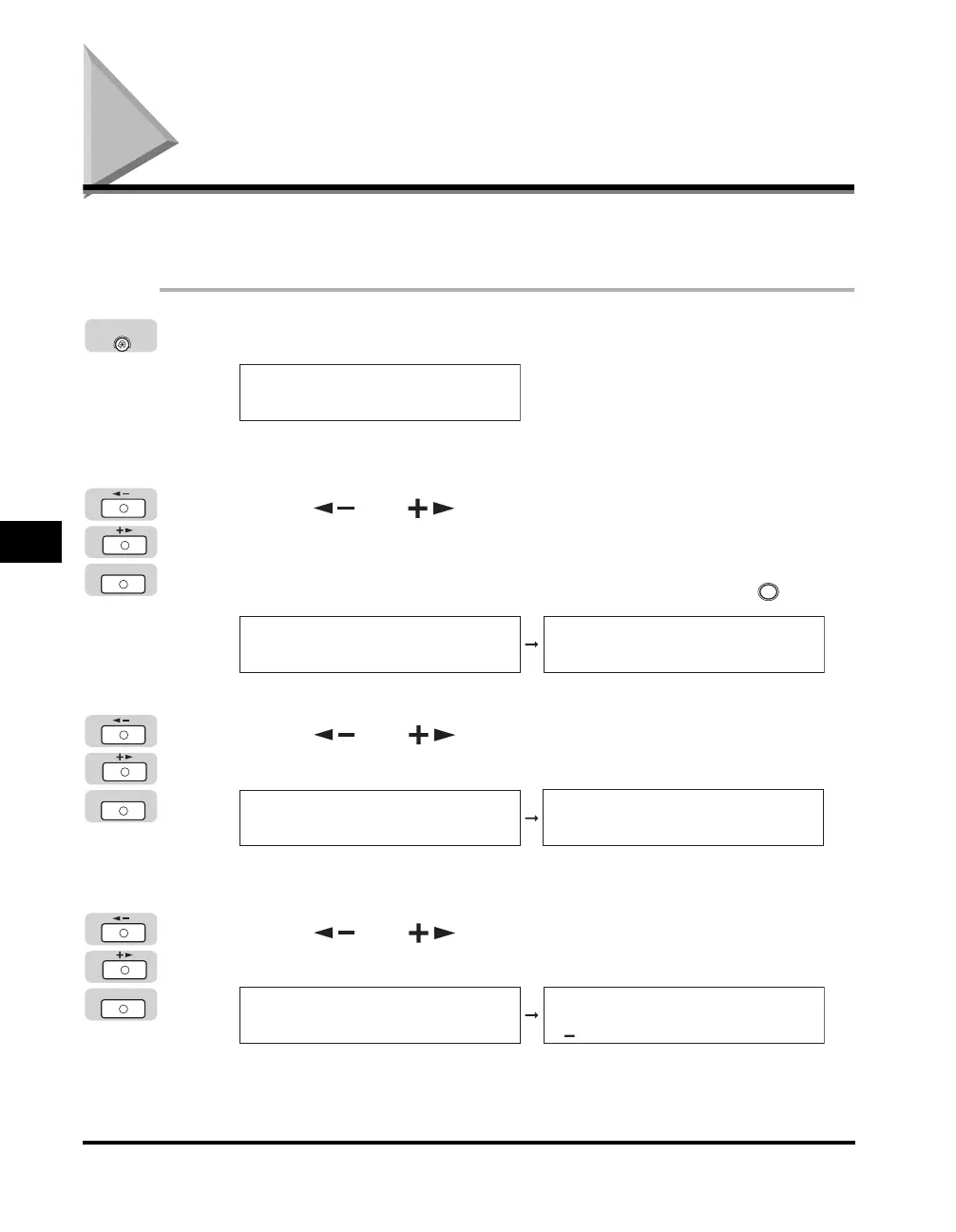
Device Information enables you to set a name for the machine, and enter
information regarding its location.
1
Press [Additional Functions].
The Additional Functions menu appears.
2
Press [ ] or [ ] until <SYSTEM SETTINGS> appears ➞
press [OK].
If the System Manager ID and System Password have been set, enter the System
Manager ID and System Password using the numeric keys ➞ press (ID).
The <SYSTEM SETTINGS> menu appears.
3
Press [ ] or [ ] until <DEVICE INFO> appears ➞
press [OK].
The <DEVICE INFO> menu appears.
4
Press [ ] or [ ] to select <DEVICE NAME> ➞
press [OK].
Additional
Functions
ADD. FUNCTIONS
1.COMMON SETTINGS
OK
ID
ADD. FUNCTIONS
9.SYSTEM SETTINGS
SYSTEM SETTINGS
1.SYS. MANAGER INFO
OK
SYSTEM SETTINGS
2.DEVICE INFO
DEVICE INFO
1.DEVICE NAME
OK
DEVICE INFO
1.DEVICE NAME
DEVICE NAME :A



 To Next Page