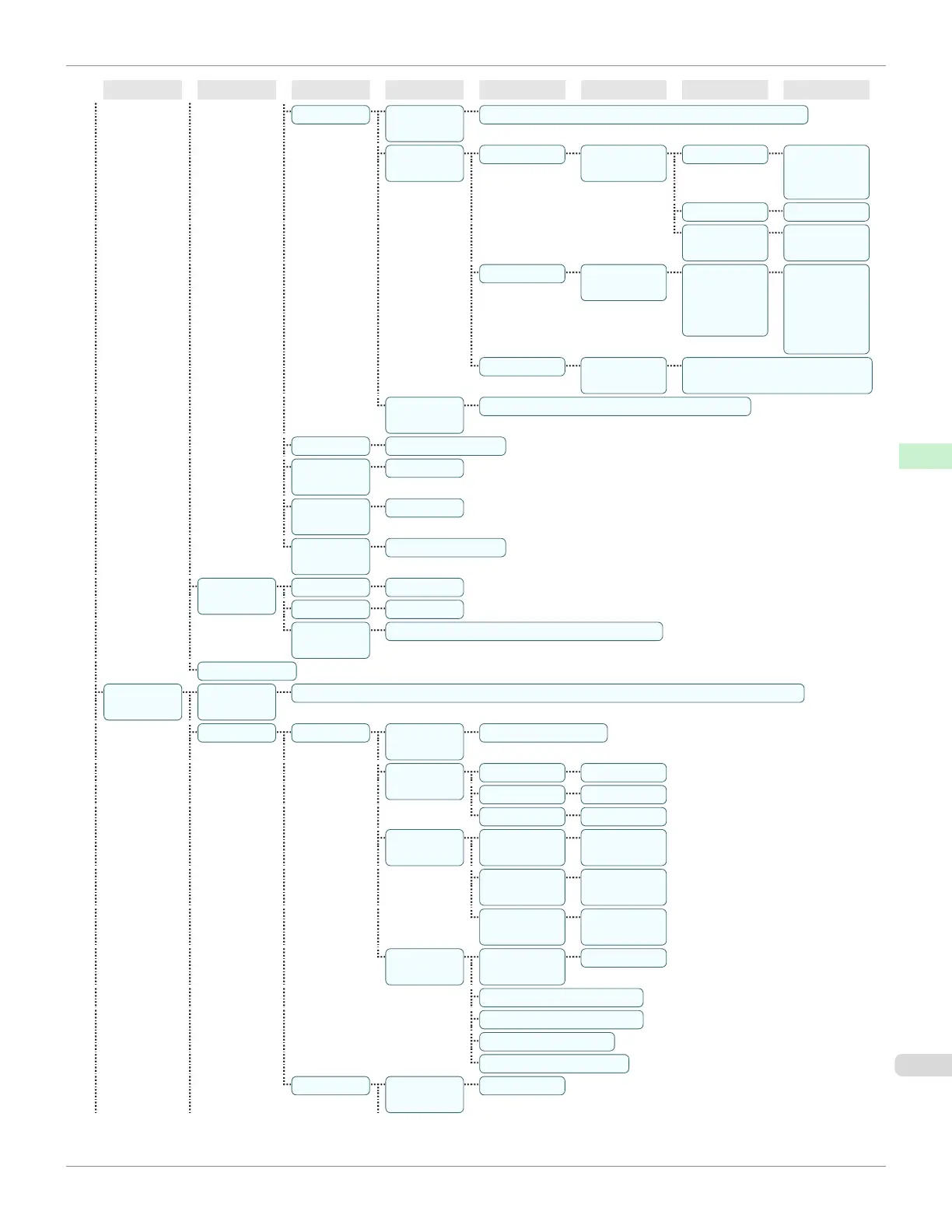
First Level
Second Level
Third Level
Fourth Level
Fifth Level
Sixth Level
Seventh Level
Eighth Level
Pen Setup Select Pa-
lette
Software* | Palette A | Palette B | Factory
Define Pa-
lette
Palette A (Select the
pen number)
Width (Indicates the
value of
Width )
Color 0~255
Line Attrib-
utes
No Setting |
Circle Setting
Palette B (Select the
pen number)
(Indicates
Width, Color,
and Line At-
tributes )
(Specify the
values of
Width, Color,
and Line At-
tributes )
Factory (Select the
pen number)
(Indicates Width, Color, and
Line Attributes )
Reset Pa-
lette
All Palette | Palette A | Palette B
Smoothing Software* | Smooth
ThickenFi-
neLines
Off* | On
AdjustFaint-
Lines
Off | On*
Ln wdth
correct
Black/gray | Color
Processin-
gOption
Warning Off* | On
On-the-Fly Off* | On
Detect img
size
Off* | Command priority | Detected size
GL2 Set Print
Interface
Setup(*8)
EOP Tim-
er(*8)
10 sec. | 30 sec. | 1 min. | 2 min. | 5 min. | 10 min.* | 30 min. | 60 min.
TCP/IP(*8) IPv4(*8) IPv4
Mode(*8)
Automatic | Manual*
Protocol(*5)
(*8)
DHCP(*8) On | Off*
BOOTP(*8) On | Off*
RARP(*8) On | Off*
IPv4 Set-
tings(*9)
IP Ad-
dress(*9)
xxx.xxx.xxx.x
xx
Subnet
Mask(*9)
xxx.xxx.xxx.x
xx
Default G/
W(*9)
xxx.xxx.xxx.x
xx
DNS Set-
tings(*9)
DNS Dync
update(*9)
On | Off*
Pri. DNS SrvAddr(*9)
Sec. DNS SrvAddr(*9)
DNS Host Name(*9)
DNS Domain Name(*9)
IPv6(*8) IPv6 Sup-
port(*8)
On | Off*
iPF685
Menu Structure
User's Guide
Control Panel Printer Menu
455













 To Next Page