Chapter 1
8
F-1-8
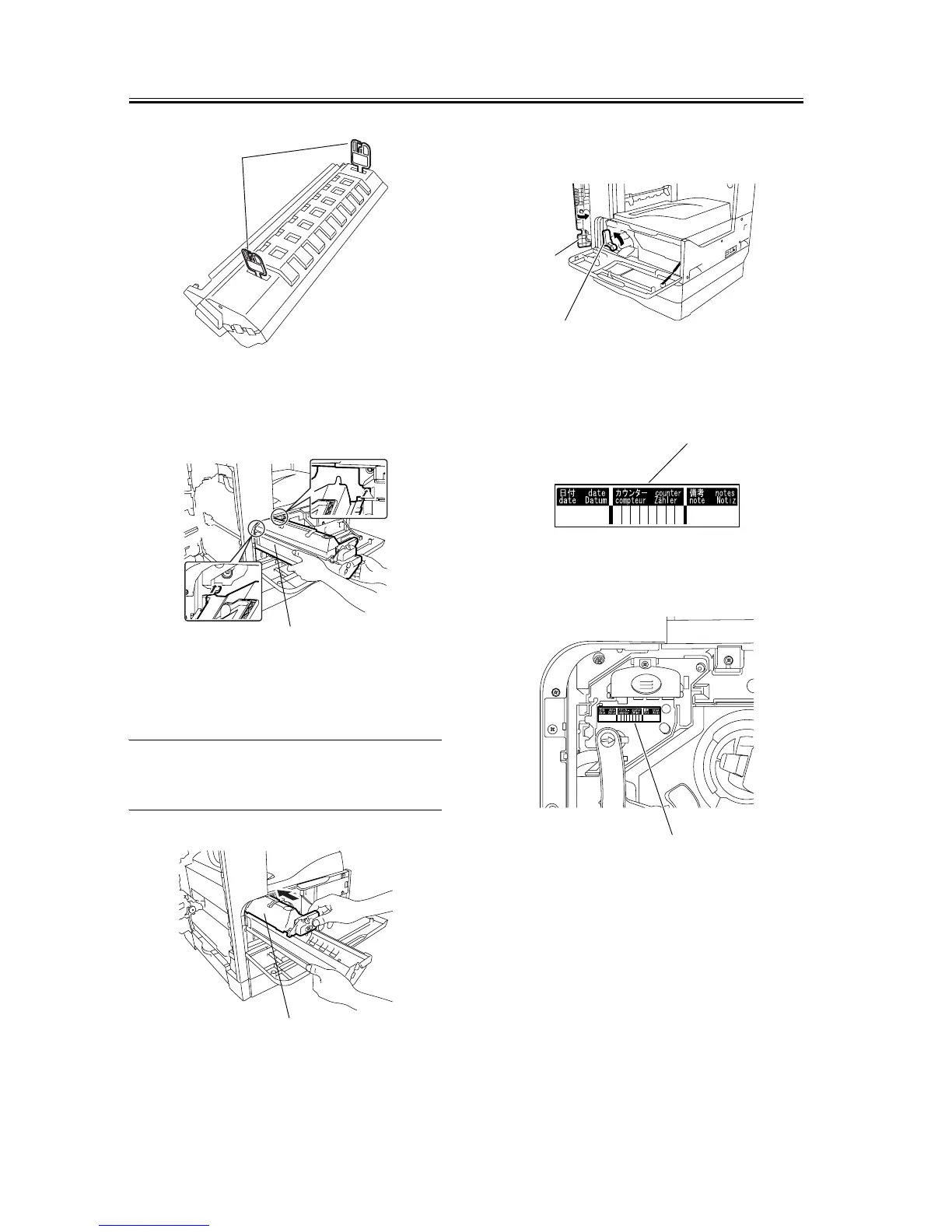
4) Holding the protective cover [1] of the new drum
unit, place the drum unit against the iR body.
F-1-9
5) While holding the protective cover, insert the new
drum unit [1] into the iR body.
MEMO:
The protective cover will not be reused.
F-1-10
6) Turn the developer pressure release lever [1] coun-
terclockwise, and then close the left door [2].
F-1-11
7) Enter the date in the drum counter label [1].
F-1-12
8) Affix the drum counter label [1] on the drum unit.
F-1-13
9) Close the front cover [1].
[1]
[1]
[1]
[1]
[2]
[1]
[1]










 To Next Page