Chapter 1
29
1.6 Installing the Reader
Heater
1.6.1 Unpacking and
Checking the Contents
0011-3368
iR2016J / iR2016 / iR2020 / / iR2016i / iR2020i
Before installing, make sure the heater PCB has been
installed.
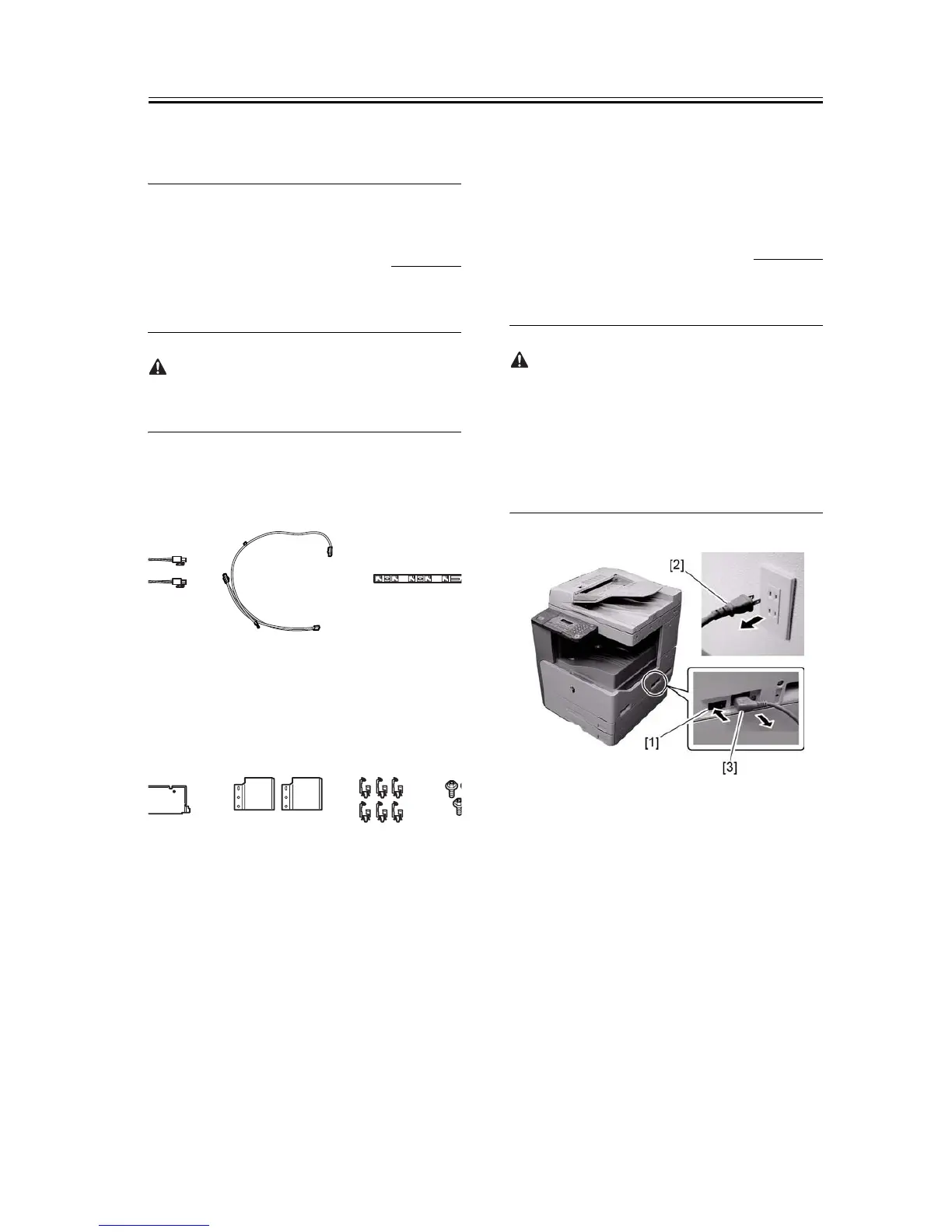
1) Prepare the following parts.
F-1-68
1.6.2 Installing the
Reader Heater Har-
ness
0011-3371
iR2016J / iR2016 / iR2020 / / iR2016i / iR2020i
Before installing, make sure the host machine is
turned off. If it is turned on, go through the following:
1. Turn off the main power switch.
2. Disconnect the power cable (from the power out-
let).
3. Disconnect the power cable.
F-1-69
1) Open the front cover [1].
[1] Reader heater 2 pcs.
[2] Heater harness 1 pc.
[3] Harness guide 1 pc.
[4] Right heater base 1 pc.
[5] Heater cover 2 pcs.
[6] Clamp 6 pcs.
]
[4] [5] [6]










 To Next Page