Chapter 1
12
F-1-26
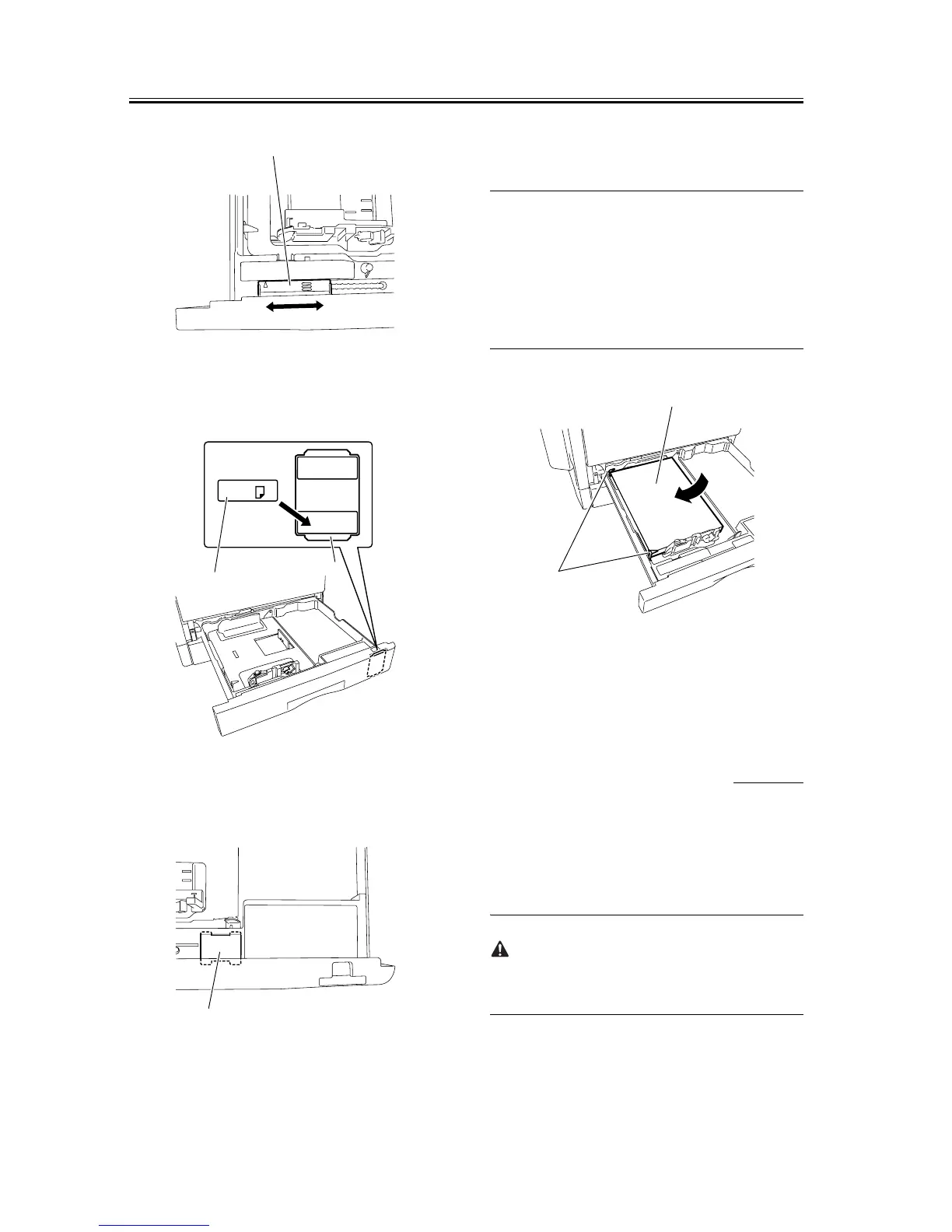
7) Affix the cassette size label [1] to the paper size in-
dication plate [2].
F-1-27
8) Affix the caution sheet printed in an appropriate
language.
F-1-28
9) Align the left, right, and leading edges of sheets and
load the stack of paper in the cassette. Make sure
that the paper is below the claws of the cassette.
MEMO:
Inserting the cassette into the iR body with the inner
plate locked into the cassette will unlock the inner
plate automatically. If the inner plate is not locked,
press the "PUSH DOWN" mark [1] on the inner plate
to lock it into the cassette and then load paper.
F-1-29
10) Holding the knob at the center of the cassette, in-
sert the cassette in the iR body until it stops.
1.2.5 Attaching the Fer-
rite Core
0011-1523
iR2016 / iR2020 / iR2016i / iR2020i
(iR2020/iR2016 only for North America, Latin
America, and Asia)
1) Attach the ferrite core [1] to the USB cable [2].
To suppress noise, attach the ferrite core as close as
possible to the USB port of the iR body.
[1]
A4
[1]
[2]
[1]
[2]
[1]










 To Next Page