Chapter 1
11
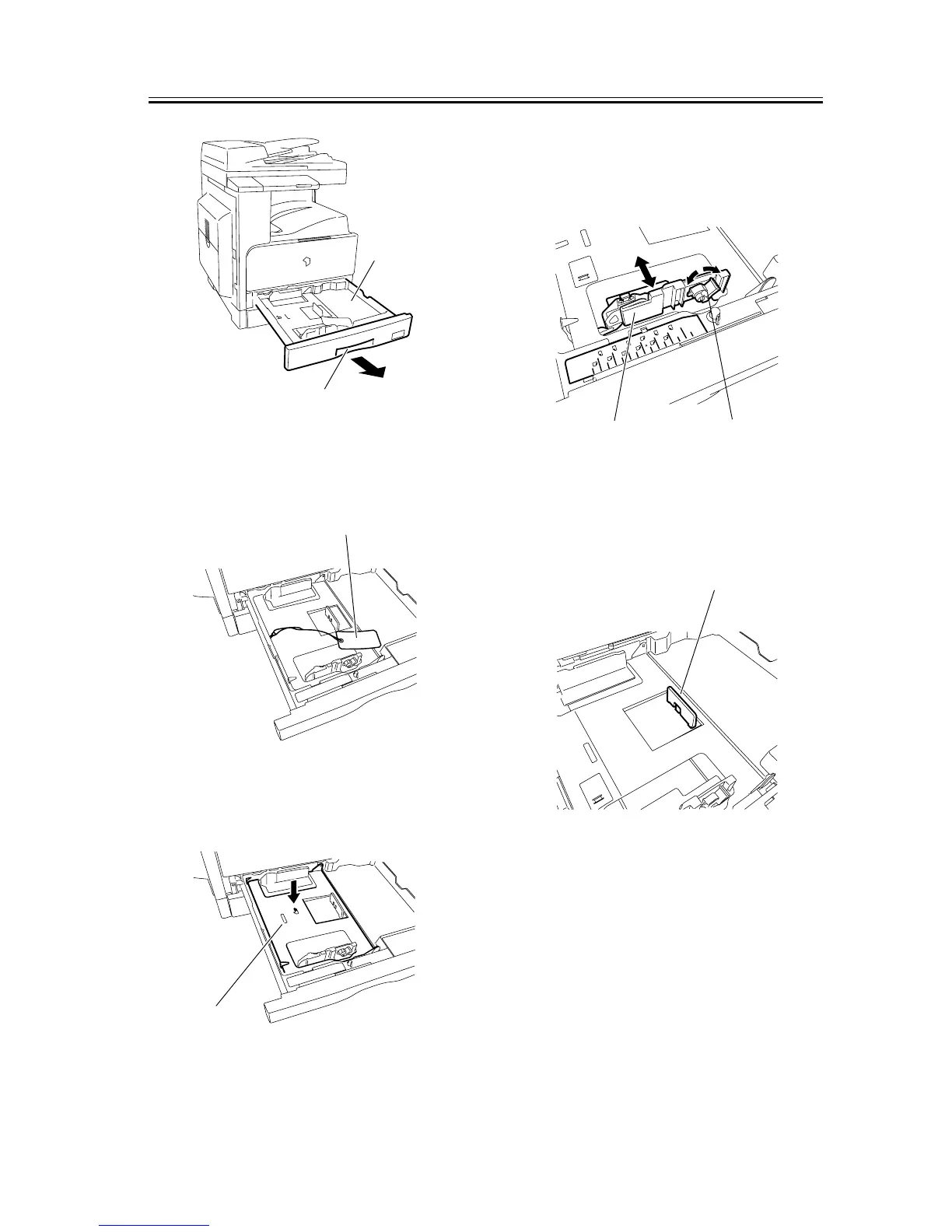
F-1-21
2) Remove the wire [1] securing the inner plate of the
cassette.
F-1-22
3) Press the "PUSH DOWN" mark [1] on the inner
plate to lock it into the cassette.
F-1-23
4) Turn the lever [1] of the paper front guide counter-
clockwise to release it. Slide the paper front guide
[2] to fit to the size of the paper to be used, and then
turn the lever clockwise to lock it.
F-1-24
5) Turn the paper trailing edge registration plate [1] to
the left to remove it. Re-attach it to fit to the size of
the paper to be loaded.
F-1-25
6) Slide the paper size detection lever [1] to fit to the
paper size.
[1]
[2]
[1]
PUSH DOWN
PUSH DOWN
[1]
A3
A4
A4
A5
B5
LTR
STMT
B4
B5
11 17
LTR
U1
U2
U3
LGL
[1]
[2]
[1]










 To Next Page